
Where to configure system integrity check?
The setting is available only to a user with the Owner role.
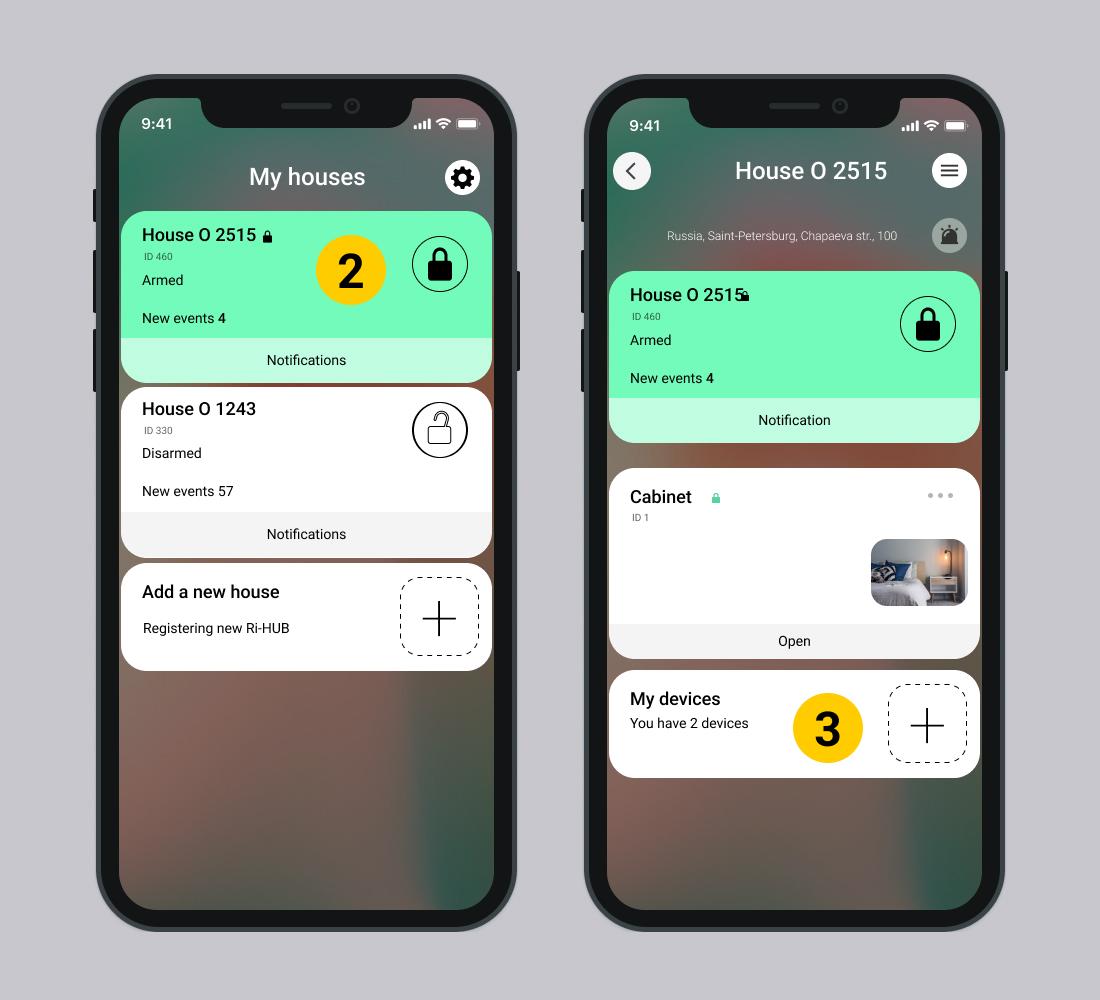
1. Open the RiDom application.
2. Select the desired house in the My houses window.
3. Scroll down and select My Devices.
3. Scroll down the controller settings screen and go to  Setting up a security system.
4. Select System integrity check – Enabled.
Default System integrity check disabled.
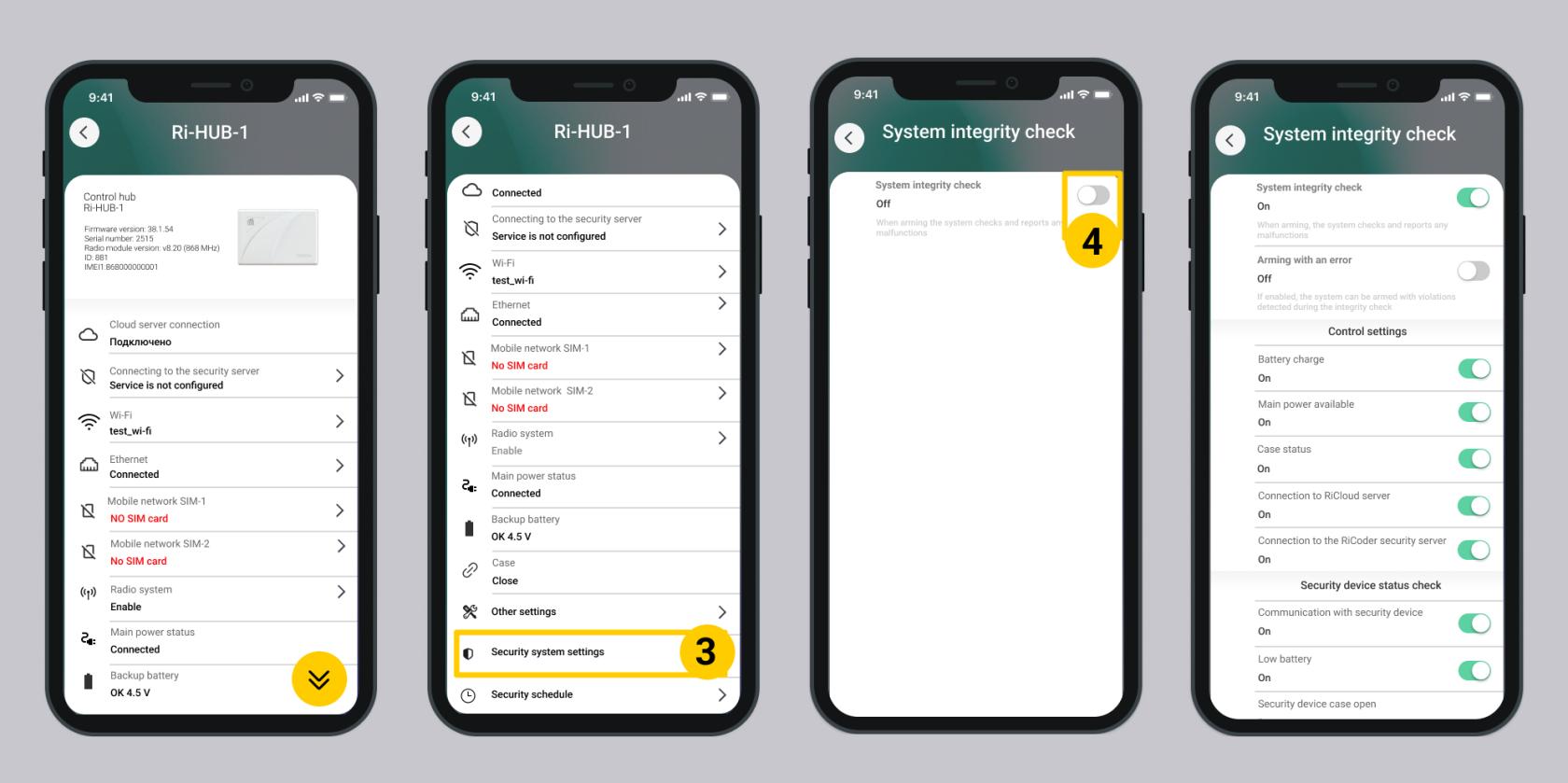
5. To configure settings, follow the recommendations in the Section Integrity Settings systems.
Update date: 06.08.2026
No comments to display
No comments to display