
Synchronization of Ademco and RiDom Event Code Mappings
The article explains how the RiCoder security server synchronizes event code mappings (Ademco and RiDom) with the RiCloud cloud server. Starting with RiCoder version 6, the synchronization mechanism has changed: existing broadcasts now keep their settings and are not overwritten automatically. This protects current broadcast configurations from unexpected changes.
1. How mappings are stored in RiCloud
In the RiCloud admin panel, the following is configured for each event:
- RiDom code;
- Ademco code;
- the link (mapping) between them.
All code mappings are stored in a single table and are used as a reference when new broadcasts are created in RiCoder.
2. Synchronization in RiCoder
In the RiCoder web panel, in the Objects section, click the Synchronize object configuration with the RiDom cloud button to start data synchronization.
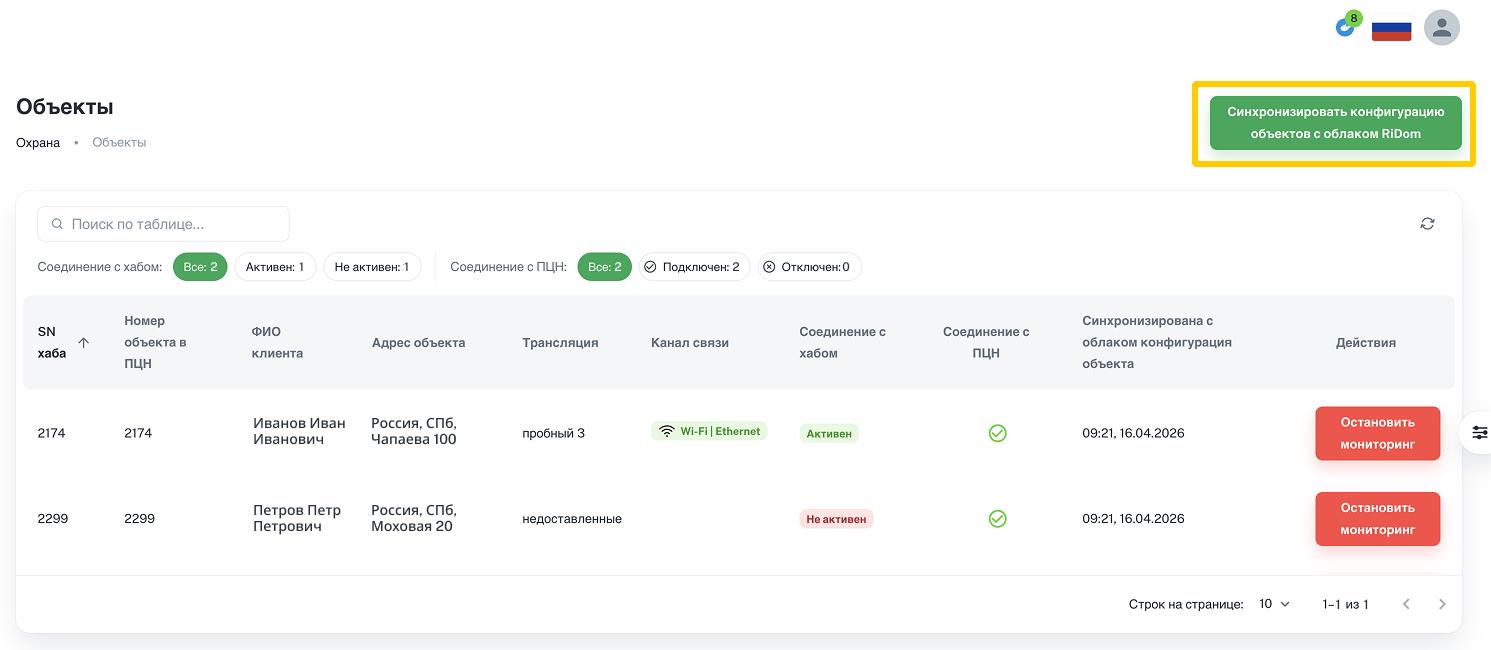
The synchronization logic has changed since RiCoder version 6+.
2.1. How synchronization worked before (before version 6)
Previously, when synchronization was started, RiCoder:
- Received the current mapping of Ademco and RiDom codes from RiCloud.
- Saved it locally.
- Automatically updated all existing broadcasts.
This meant that new or changed mappings between Ademco and RiDom codes were applied not only to new broadcasts, but also to all broadcasts already created.
While working with a broadcast, you could add new Ademco and RiDom code mappings to the broadcast if the existing code mappings were not enough.
For example, if an event code mapping was changed in RiCloud, RiCoder automatically reconfigured the corresponding mappings in all old broadcasts.
2.2. Current synchronization logic (version 6+)
When you click the Synchronize object configuration with the RiDom cloud button in the RiCoder web panel:
- existing code mappings in already created broadcasts are not changed;
- text descriptions of events are updated.
The mapping that was saved in the broadcast at the time of its creation, and supplemented with custom mappings if necessary, remains unchanged.
2.3. Example
At the time the broadcast was created, 58 event mappings were configured in RiCloud.
Later, a new mapping appeared in RiCloud, and the total number of events became 59.
Result:
- new broadcasts are created with 59 events;
- old broadcasts keep the original configuration and continue to work with 58 events.
Thus, synchronization does not add new mappings and does not rebuild old broadcasts.
3. How to add new mappings from RiCloud to old broadcasts
If you need to use updated code mappings in an existing broadcast, you need to:
- Create a new broadcast.
- Attach the required objects to it.
- Delete the old broadcast if necessary.
4. How to add custom code mappings to broadcasts
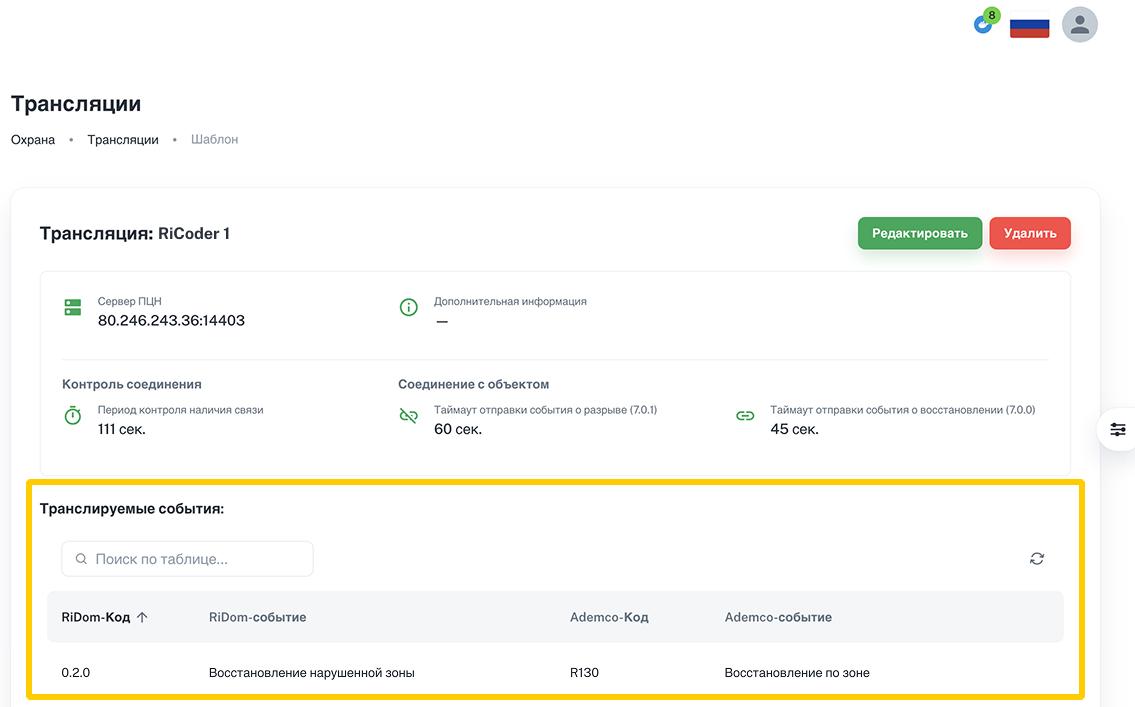
The article How to add Ademco code to a broadcast template? describes the process of creating a new mapping of Ademco and RiDom codes.
When the object configuration is synchronized with RiCloud, the new mapping remains in the specific broadcast and is not deleted or written to other broadcasts.
Last updated: 05/26/2026
No comments to display
No comments to display