
Roles in the RiDom Admin Panel
The RiDom system uses a flexible access rights system. Depending on the employee's position and tasks, they are assigned one of the standard roles, or a custom role is created. Below is a description of the key roles and their main functions in the system.
- Super Admin - A representative of the security company who received primary access to the system. Has absolute rights: manages all users and roles within their organization and has full access to all functional sections of the panel.
- Administrator (Admin) — Manages the team and the system. Creates users, configures roles and has full access to editing the equipment of all objects.
- Operator — Coordinates work. Creates and distributes requests, assigns assignees, but has no access to technical equipment settings.
- Engineer — Performs technical work. Sees only the requests assigned to them, changes the settings of a specific object during maintenance and fills in reports.
The table below shows the available user role templates of the RiDom admin panel. For each role, access rights to interface sections and the list of permitted operations are defined.
2.1. Role templates
Function | Admin | Operator | Engineer |
Objects | |||
Reading information about houses | ✅ | ✅ | ✅ |
Reading object and controller events | ✅ | ✅ | ✅ |
Updating equipment settings | ✅ | ❌ | ✅ |
Requests | |||
Reading requests | ✅ | ✅ | ✅ |
Creating requests | ✅ | ✅ | ❌ |
Updating requests | ✅ | ✅ | ❌ |
Closing requests | ✅ | ✅ | ✅, for their own requests |
Roles | |||
Reading role information | ✅ | ❌ | ❌ |
Creating role information | ✅ | ❌ | ❌ |
Updating role information | ✅ | ❌ | ❌ |
Deleting role information | ✅ | ❌ | ❌ |
Users | |||
Reading user information | ✅ | ✅ | ❌ |
Creating users | ✅ | ❌ | ❌ |
Updating user information | ✅ | ❌ | ❌ |
Deleting users | ✅ | ❌ | ❌ |
Object service maintenance | |||
Reading service maintenance information | ✅ | ✅ | ✅ |
Updating service maintenance | ✅ | ❌ | ✅ |
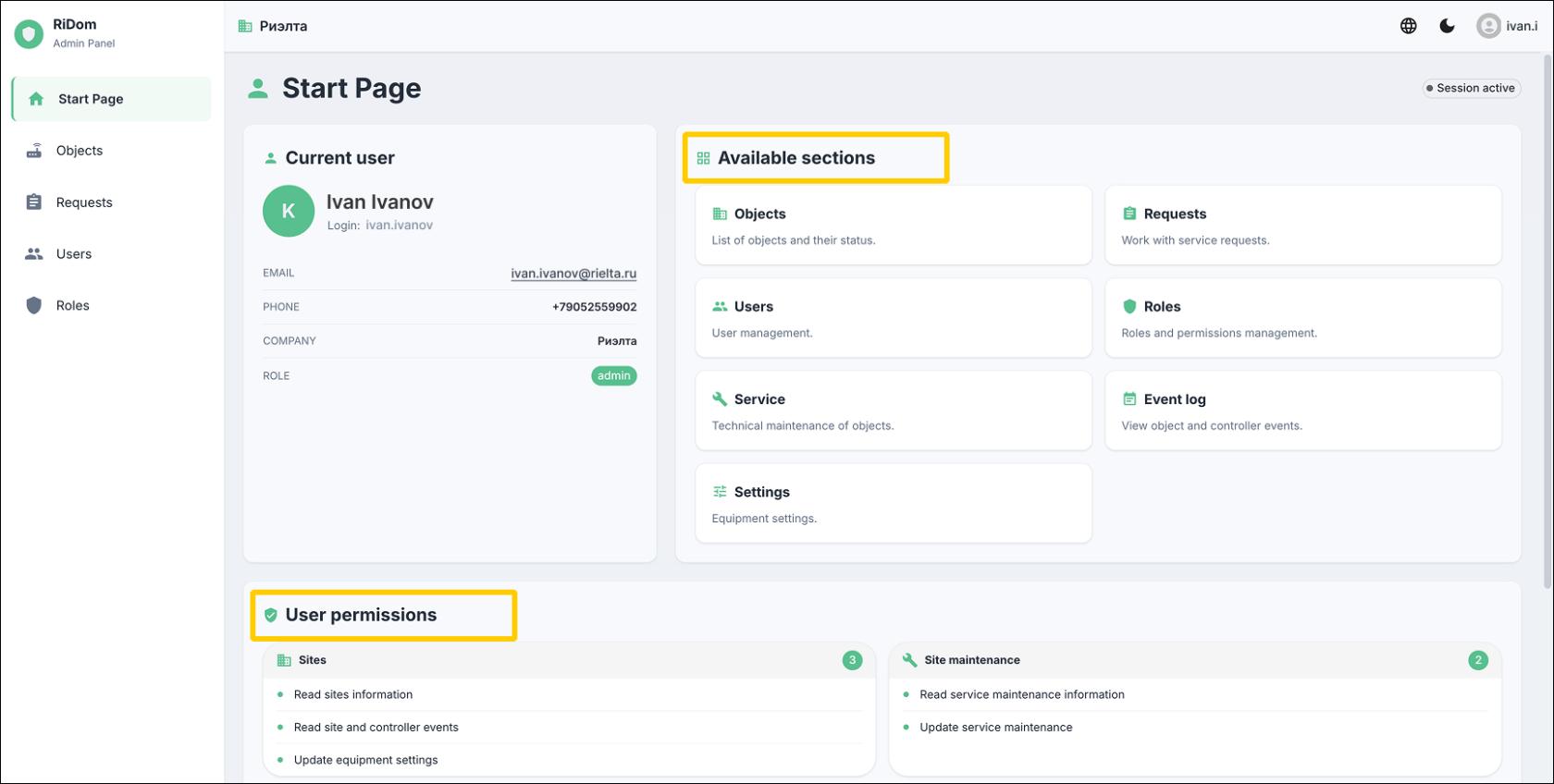
The start page shows the current role and available sections.
Last updated: 10/16/2026
No comments to display
No comments to display