
Examples of Organization's Local Network Configuration
Security organizations can have different local network configurations. This article will discuss the 3 most common options. If your organization has additional firewall settings and other configurations, please contact your system administrator to verify that the host and port information entered is correct for setting up event transmission from Ri-HUB to the Central Monitoring Point (CMS). Please refer to the diagrams provided below.
1. RiCoder and Monitoring Station (CMS) deployed on different hosts within the organization's local network
Network Diagram
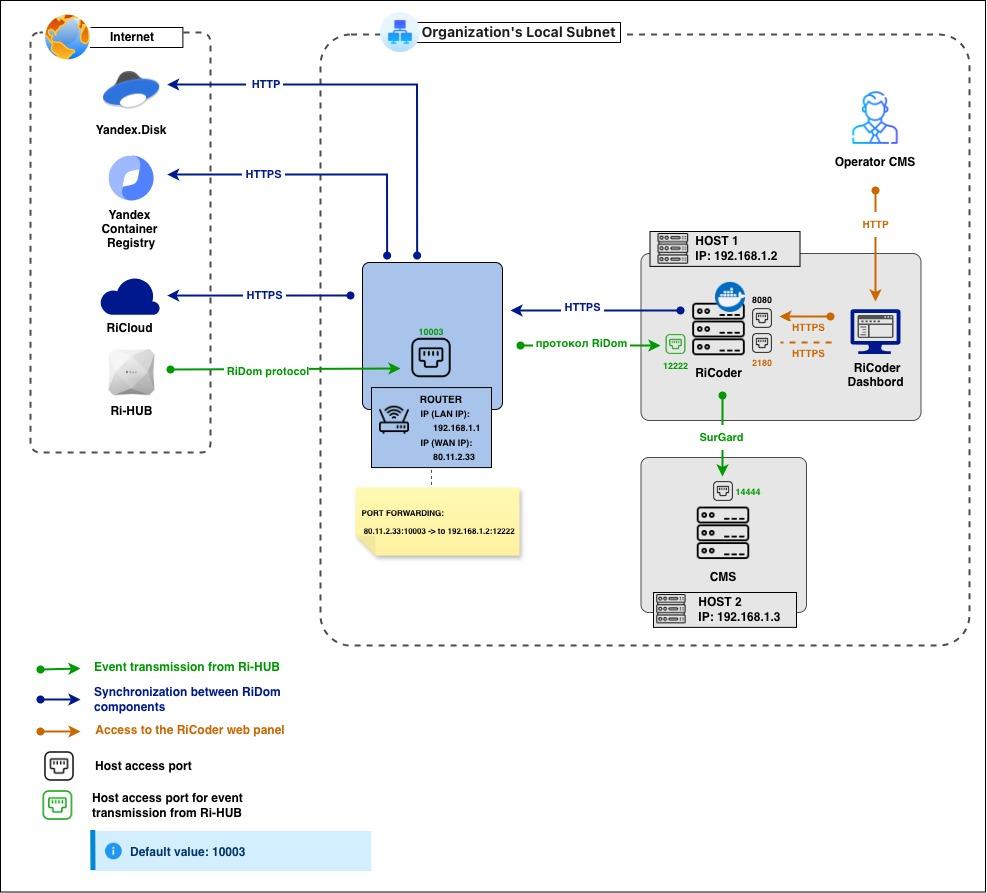
If DNS names are configured in your local network, you can use them just like IP addresses.
Entering IP addresses and ports in the interface
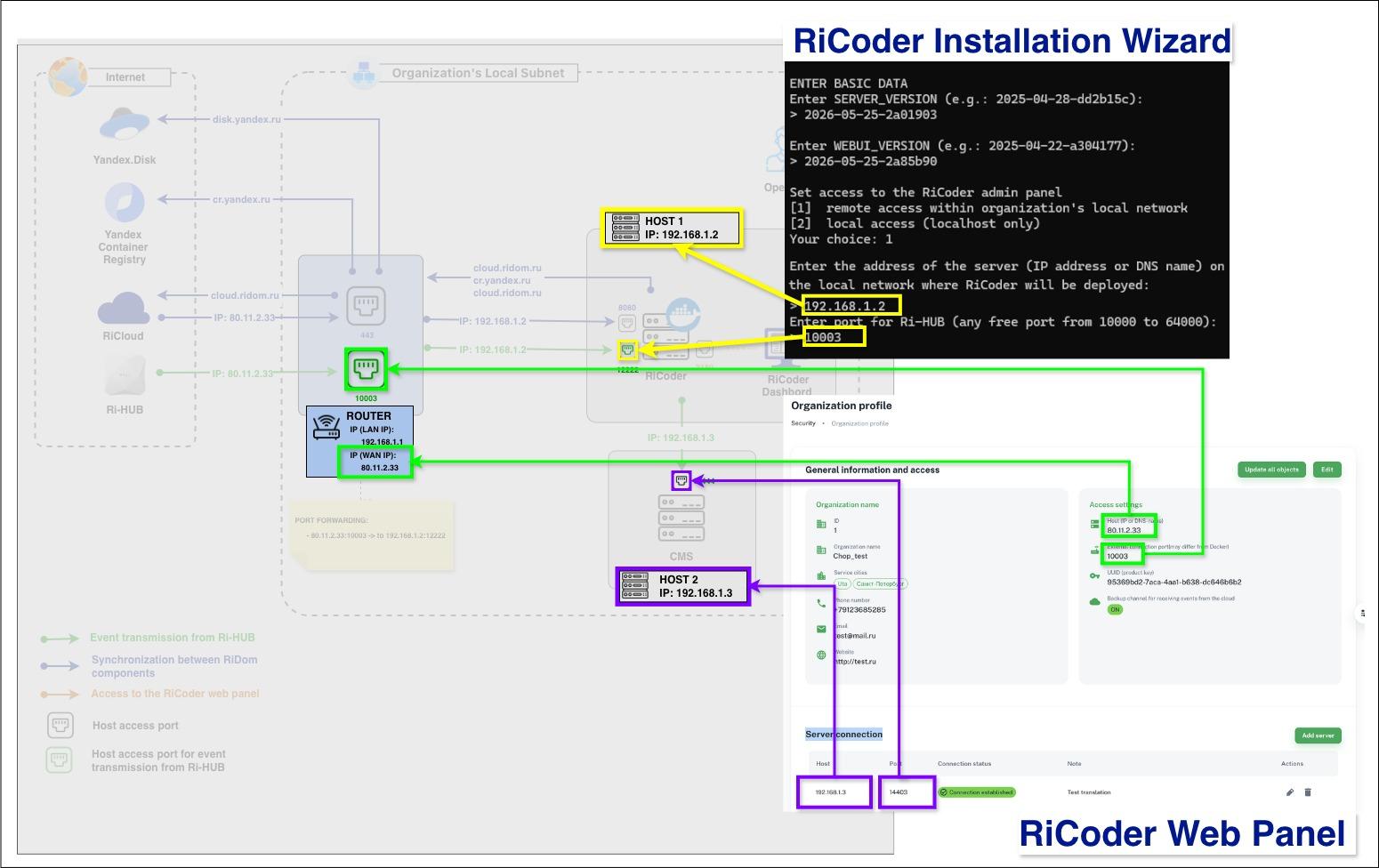
Location in Interface | Network Parameters |
RiCoder Installation Wizard: | IP: 192.168.1.2 порт: 12222 |
RiCoder Dashboard: | IP: 80.11.2.33 порт: 10003 |
RiCoder Dashboard: | IP: 192.168.1.3 порт: 14444 |
If DNS names are used in your local network, you can use them in the same way as IP addresses.
2. RiCoder and PCN deployed in different subnets of the organization
Network Diagram
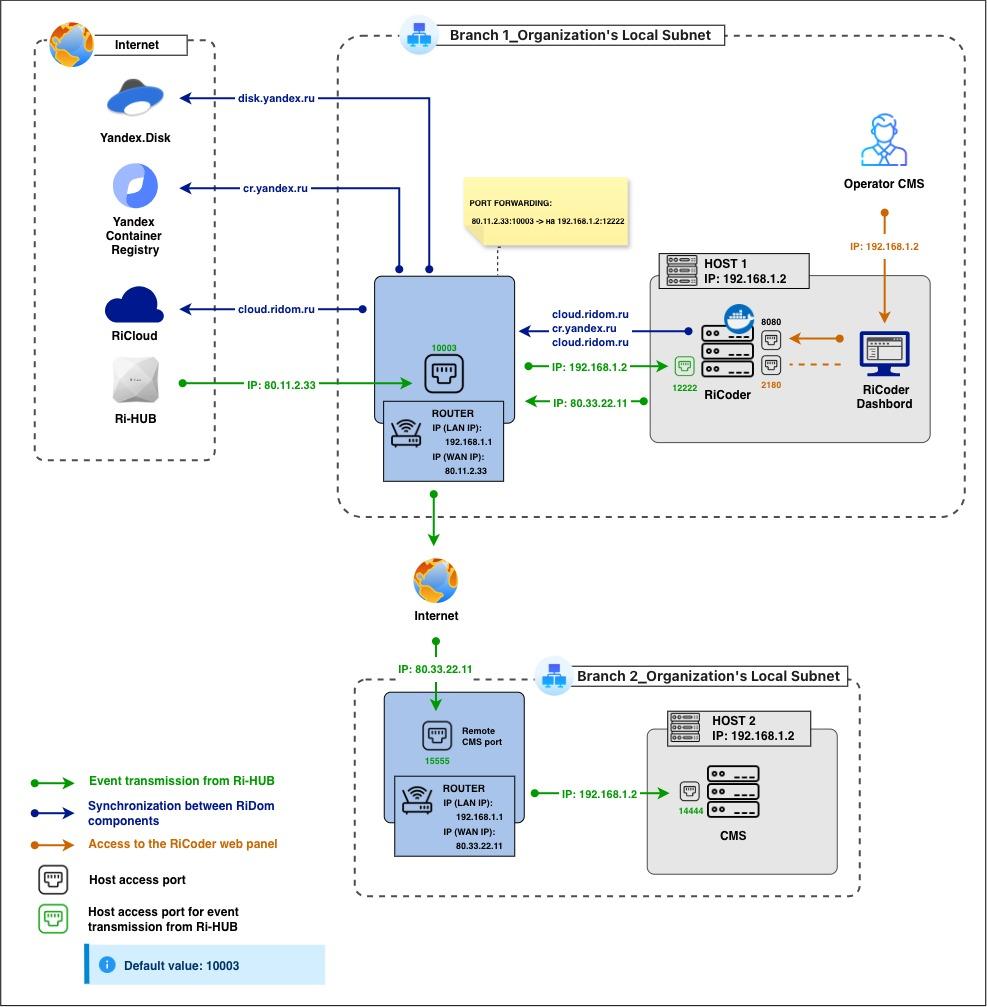
If DNS names are configured in your local network, you can use them just like IP addresses.
Entering IP addresses and ports in the interface
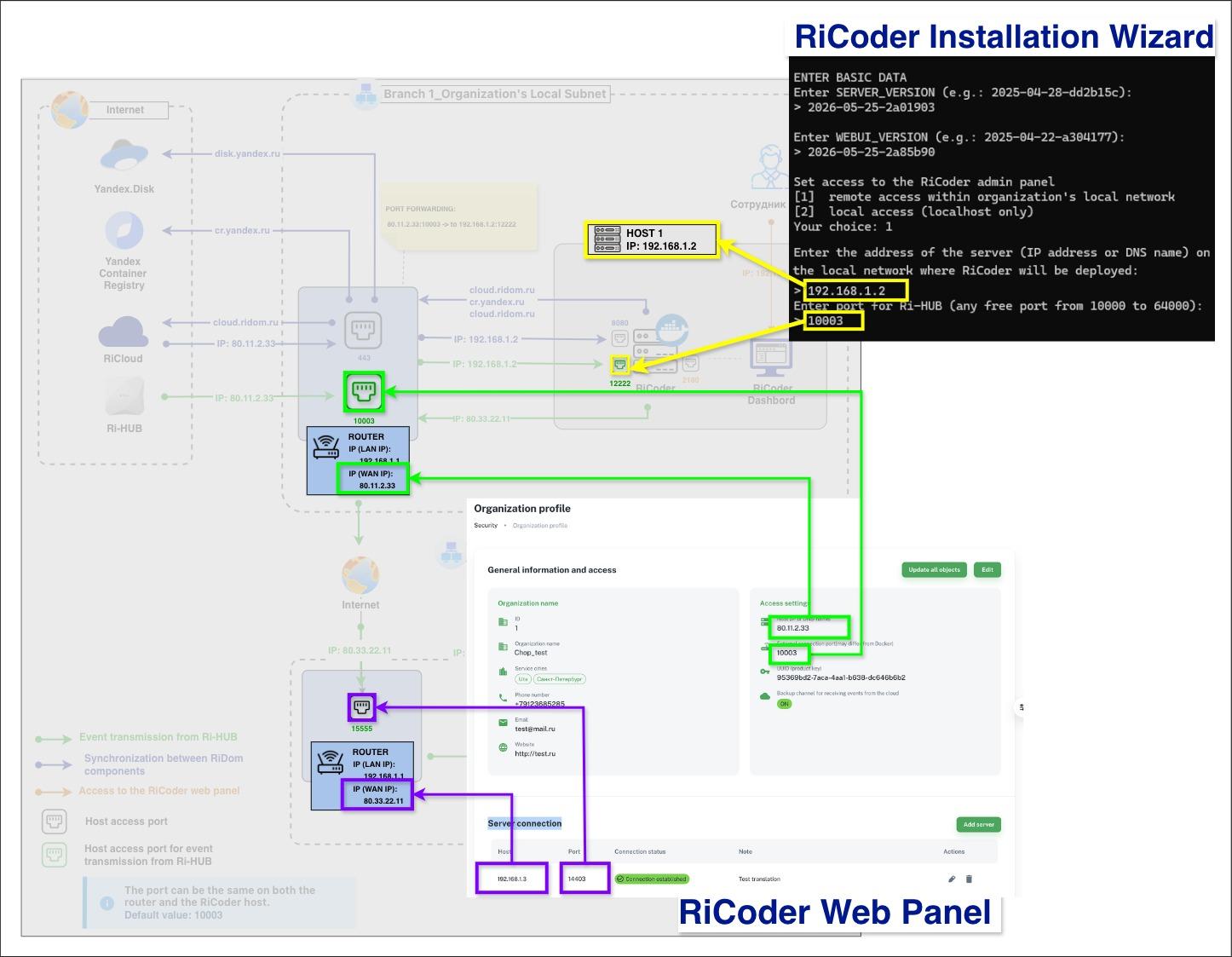
Location in Interface | Network Parameters |
RiCoder Installation Wizard: | IP: 192.168.1.2 порт: 12222 |
RiCoder Dashboard: | IP: 80.11.2.33 порт: 10003 |
RiCoder Dashboard: | IP: 80.33.22.11 порт: 15555 |
3. RiCoder and the CMS are deployed on the same host within the organization's local network.
Network Diagram
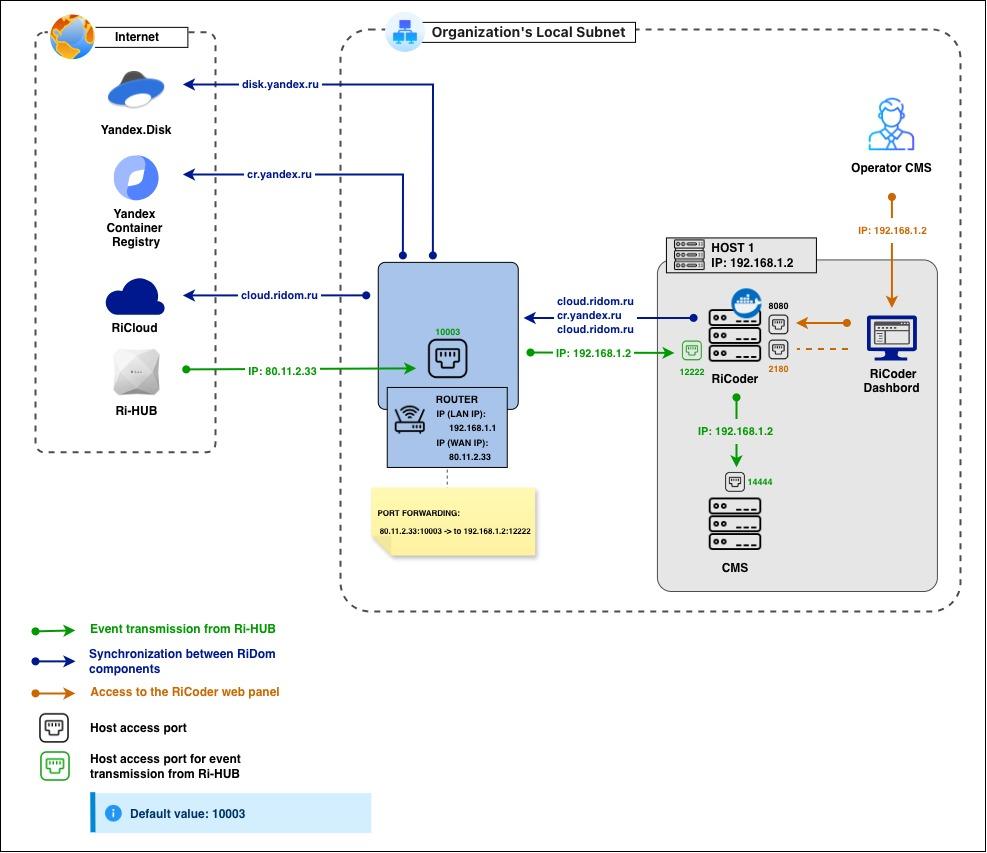
If DNS names are configured in your local network, you can use them just like IP addresses.
Entering IP addresses and ports in the interface
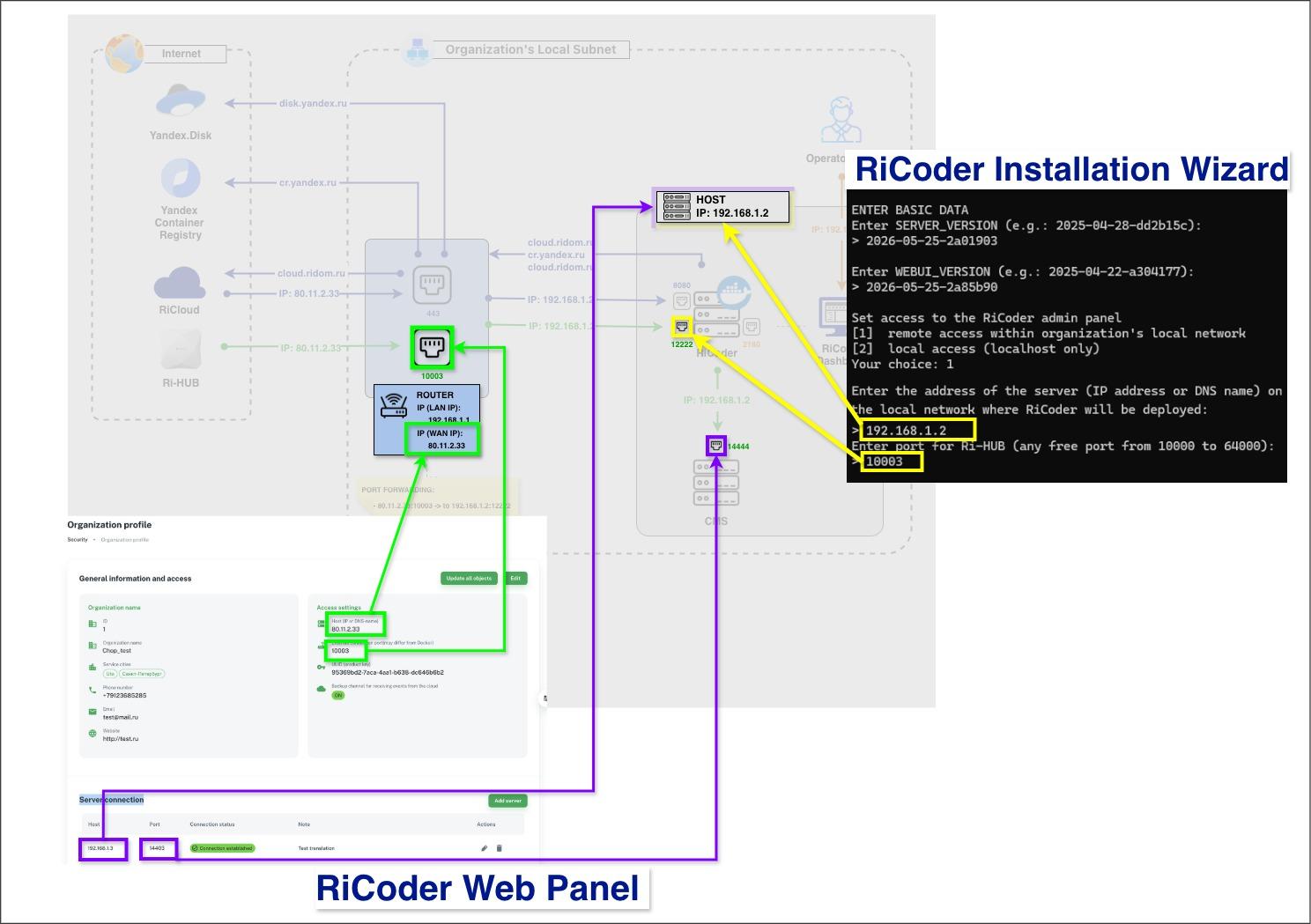
Location in Interface | Network Parameters |
RiCoder Installation Wizard: | IP: 192.168.1.2 порт: 12222 |
RiCoder Dashboard: | IP: 80.11.2.33 порт: 10003 |
RiCoder Dashboard: | IP: 192.168.1.2 порт: 14444 |
Update date: 06/02/2026
No comments to display
No comments to display