
How to disarm a house or premises
The RiDom system provides several ways to arm a house/property, depending on the user's role.
For mobile users (who have access to the mobile app):
For local users (without access to the mobile app), using:
For more details on user roles in the RiDom system, see the article.
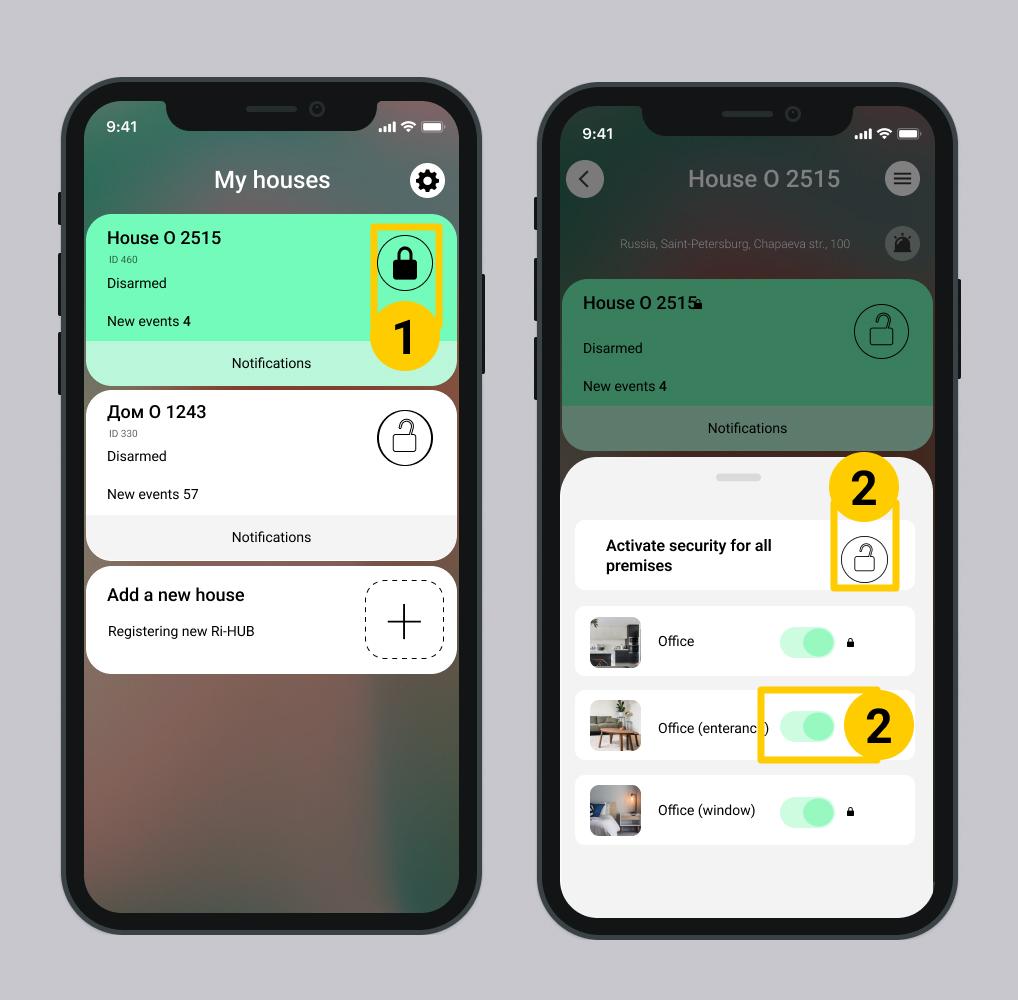
1. Via the mobile app
The mobile user must have permission to disarm the house/property or premises. For more details on how to configure user permissions.
- In the My homes section, select the desired home and tap the icon
 .
. - Select the premises you want to disarm:
- All premises – tap Disarm all premises
 . All toggles will turn gray.
 - One or several premises – toggle off the switch
 for the desired premise.
- All premises – tap Disarm all premises
2. Using a key fob or keypad
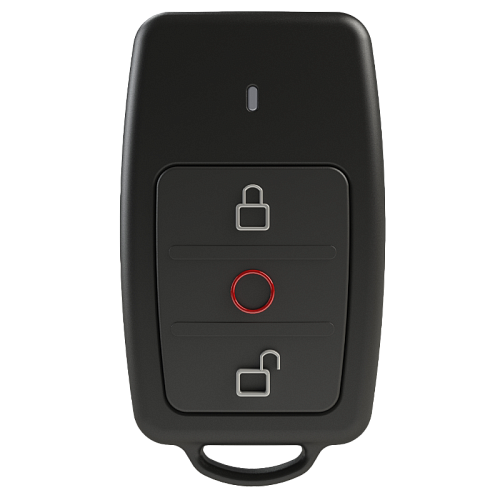
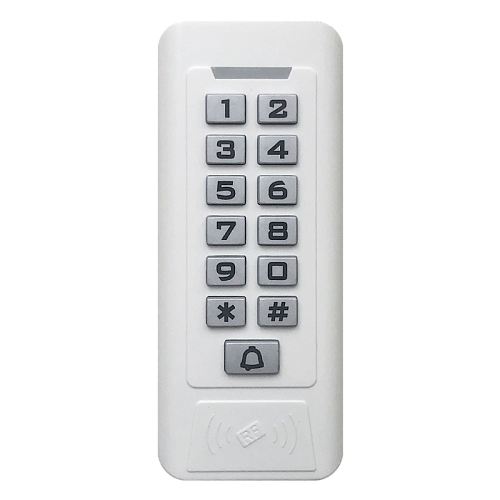
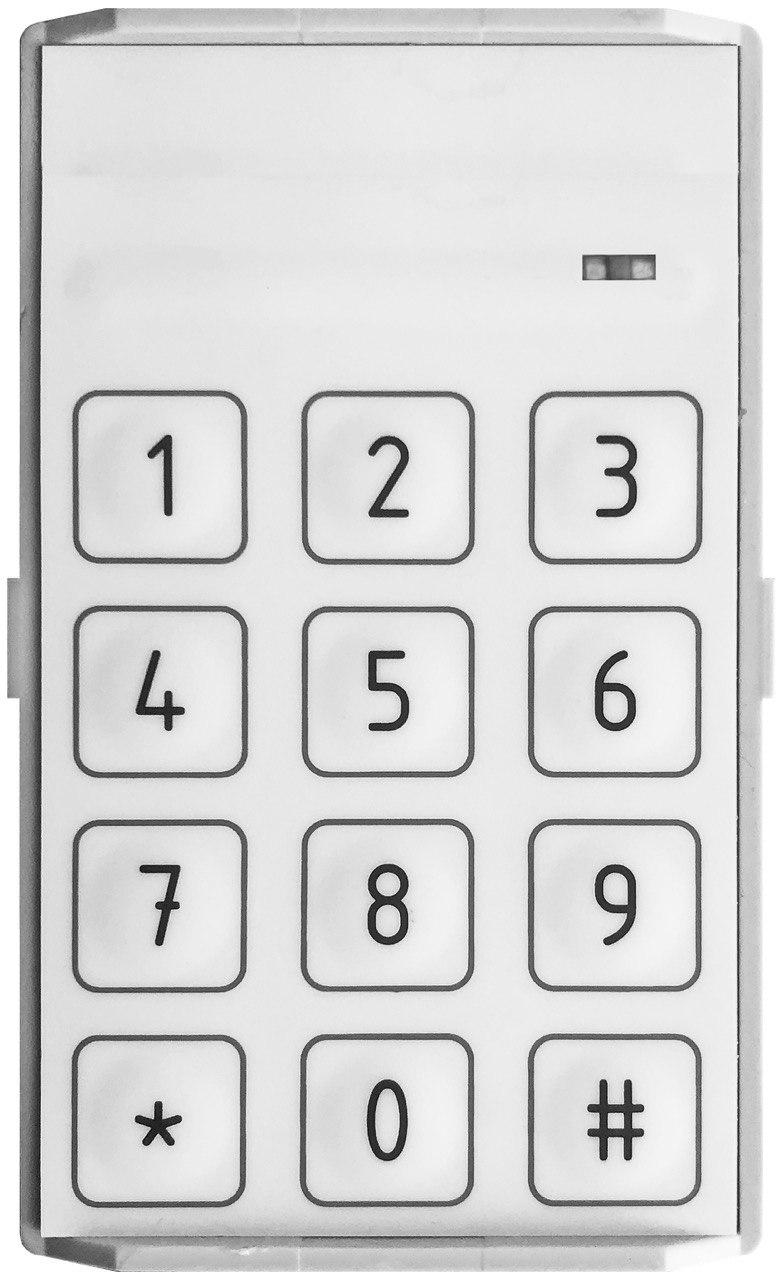
To disarm the entire house/property or individual premises using a key fob or keypad, select your device below and follow the instructions.
Control Device |
Ri-Key-1 |
Ri-KB-1 |
Ri-KB-2 / Ri-KB-3 |
How to disarm? | Press the button | Enter code ХХХХ and press the | Enter code ХХХХХ and press the # |
Additional info | In the mobile app settings, each button on the key fob is assigned a corresponding command. | The code must be exactly 4 digits long. | The code can contain from 3 to 16 digits. |


Feedback from control devices
Ri-Key-1 | Ri-KB-1 | Ri-KB-2 / Ri-KB-3 | |
Indication immediately after pressing buttons | Short green light indicator flash. | With each button press, the light indicator flashes green once, and the sound emitter emits a short beep. | With each button press, the light indicator flashes green once, and the sound emitter emits a short beep. |
After activating the Disarm command on the key fob or keypad, the following scenarios are possible:
2.1. Successful disarming
The security system will disarm only those premises that are authorized for the entered code or assigned to the key fob user.
- House/property users receive SMS messages and push notifications – Disarmed.
- An event is generated in the log – Disarmed.
- Control device behavior:
Control Device | Behavior |
Ri-Key-1 Key Fob | Short green light indicator flash. |
Ri-KB-1 Keypad | The light indicator stays solid green for 2 seconds; the sound indicator emits a brief beep. |
Ri-KB-2, Ri-KB-3 - Sensor Keypad | The light indicator stays solid green for 2 seconds; the sound indicator emits a brief beep. |
- The controller, keypad, and siren do not emit any sound signals.
2.2. Unsuccessful disarming (errors)
Unsuccessful disarming of the house/property may occur in the following situations:
Is the key fob indicator flashing green and red?
Causes | Solution |
The key fob user does not have permission to disarm the house/property or premises. | You need to configure permissions for the user in the mobile app. More details... |
There is no connection between the key fob and the Ri-HUB control center. | You need to check the connection between the key fob and the Ri-HUB in the mobile app. |
Is the keypad flashing green and red?
Causes | Solution |
An incorrect code was entered on the keypad. | Try entering the correct code again. |
The user does not have permission to disarm the house/property or premises. | You need to configure permissions for the user in the mobile app. More details... |
Disarming the house/property outside of the schedule is prohibited. | If necessary, change the security schedule settings in the mobile app. More details... |
There is no connection between the keypad and the controller. | You need to check the connection between the keypad and the Ri-HUB in the mobile app. |
In both situations, the house/property is NOT armed.
- No event is generated in the log.
- Home users do not receive notifications.
- Control device behavior:
Control Device | Behavior |
Ri-Key-1 Key Fob | The key fob's light indicator flashes green and red. |
Ri-KB-1 Keypad | The light indicator flashes green and red; the sound indicator emits a brief beep. |
Ri-KB-2, Ri-KB-3 -Sensor Keypad | The light indicator flashes red and green for 2 seconds; the sound indicator emits a brief beep. |
- The controller and siren do not emit any sound signals.
Description of the software operation is relevant for versions:
- RiDom application - v. 1.1.273
- iCloud cloud service - v. 2026-06-17-8fd1236
- Controller firmware - v. XX.1.81
Update date: 06.26.2026
No comments to display
No comments to display