
How to add Ademco code to a broadcast template?
**Ademco code** - standard four-digit protocol code ADEMCO Contact ID, used in security and fire alarm systems to indicate the type of event that occurred at the facility (for example, alarm, disarming, malfunction, etc.).
1. OOpen the RiCoder admin web panel.
1. Select in the side left menu Broadcasts.
1. Click New Ademco Code in the upper right corner of the screen.
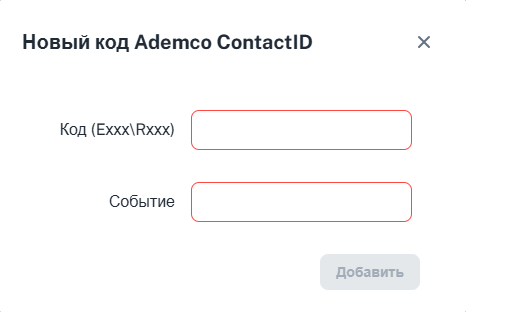
2. Enter the code in the specified format. Either EXXX or RXXX.
**E** - "Event": The code is used to indicate the type of event that occurred. **R** - "Report": the code means that the system is sending a report about the event that occurred.
3. Enter a description of the event in the field Event.
Screen adding Ademco code
Update date: 10/14/2025
Нет комментариев для отображения
Нет комментариев для отображения