
How to set up notifications for users at home/facility?
For a mobile user, you can configure to receive SMS messages and push notifications, and view the event log. This can be done by the Owner or the user himself. If a specific user of a home/object has notifications via sms, push disabled in the settings, or viewing the event log is not available, then he will not receive notifications about events in the home/object.
Notifications can be configured only for mobile users (have access to the mobile application); for local users (no access to the mobile application) such functionality is not provided.
1. Who has the right to set up notifications
1. The home owner can set up notifications and log viewing for all users in the home.
2. The mobile user can independently set up a notification for himself if the Owner has allowed the setting of notifications using the appropriate setting.
Screen User settings
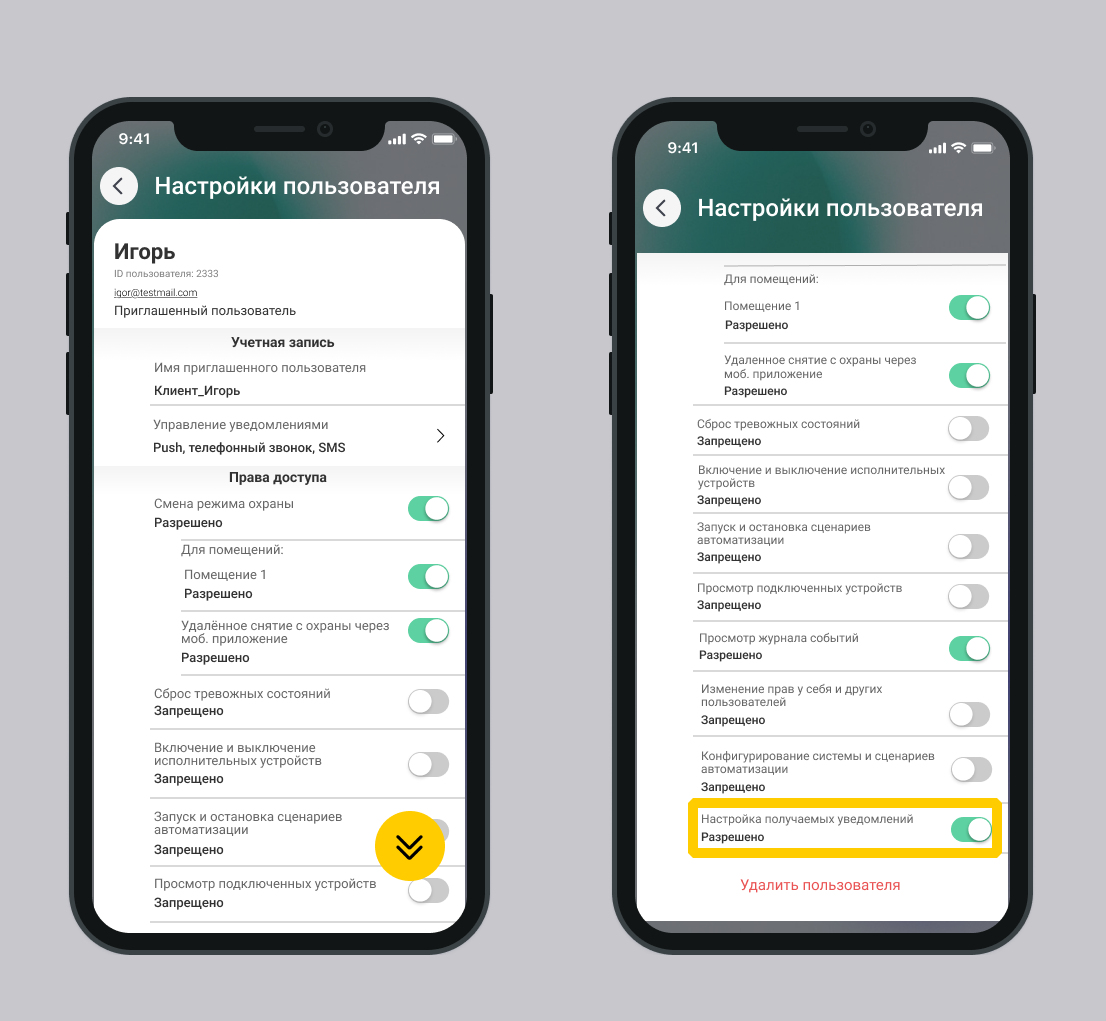
Screen User settings
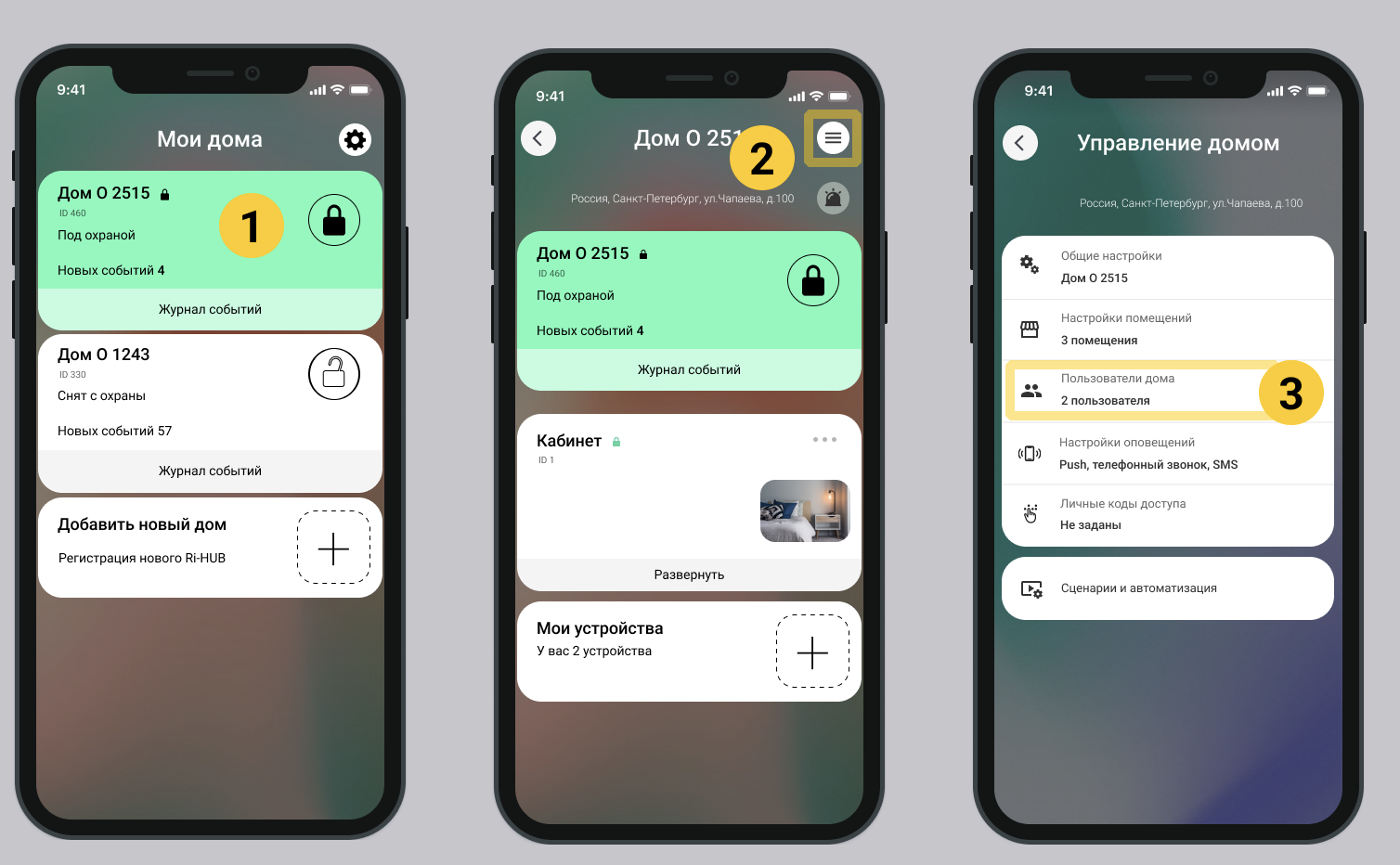
1. On the main screen of the mobile application, select the desired house.
2. Go to home settings. Select  in the upper right corner of the screen.
3. Select the item  Home users.
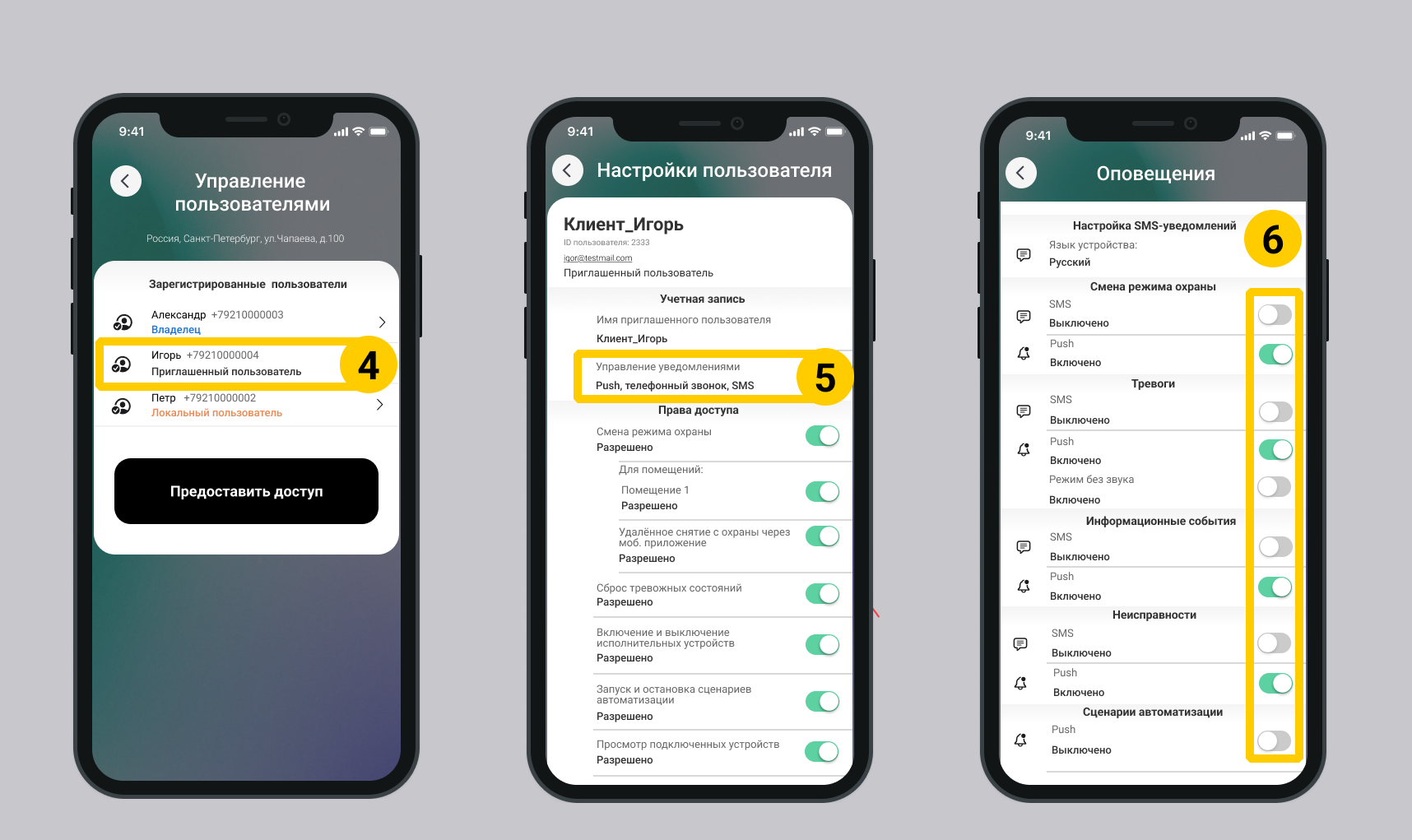
4. On the screen Manage users select the owner user in the list Registered users.
5. Select Manage notifications.
6. Select the desired notification categories and methods (SMS messages, push notifications).
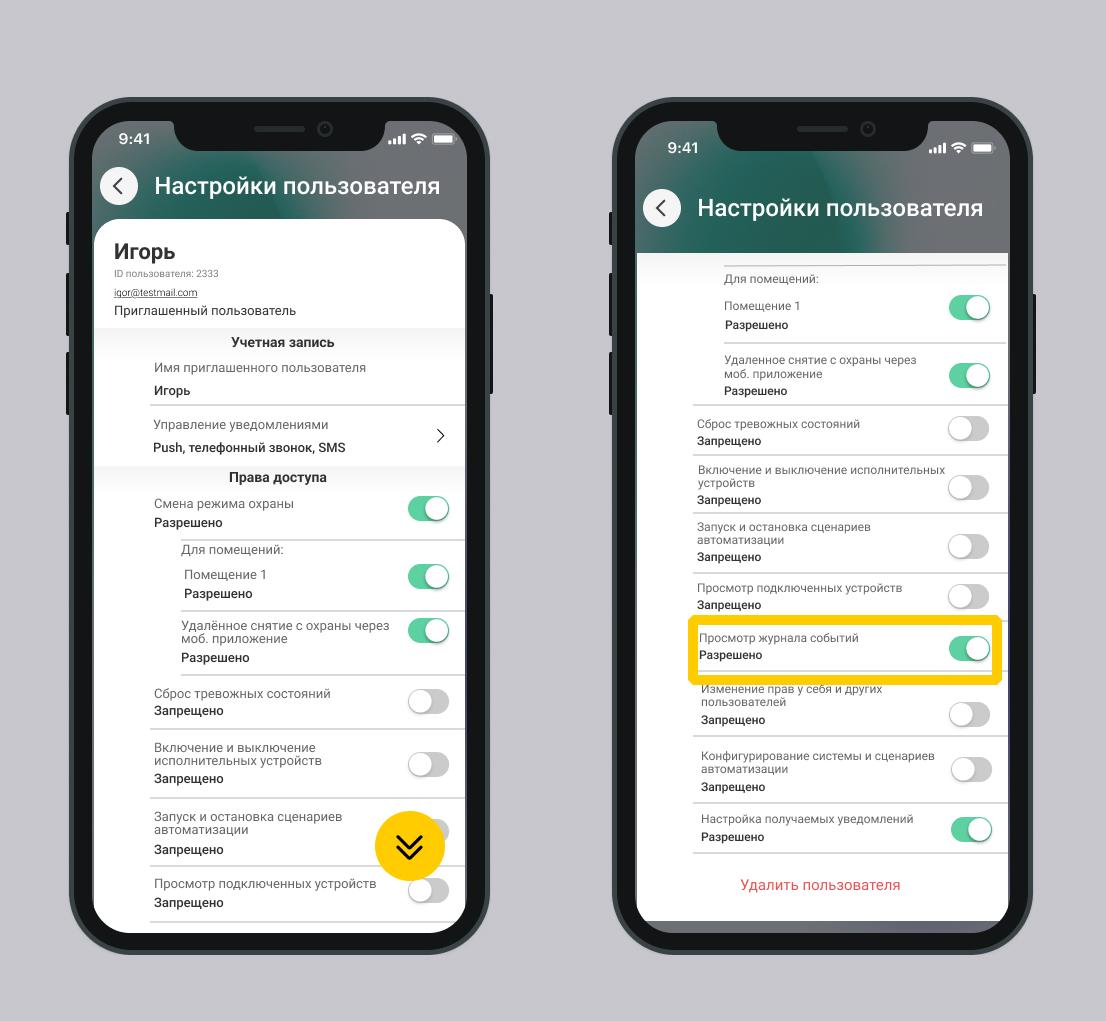
3. Setting up the event log
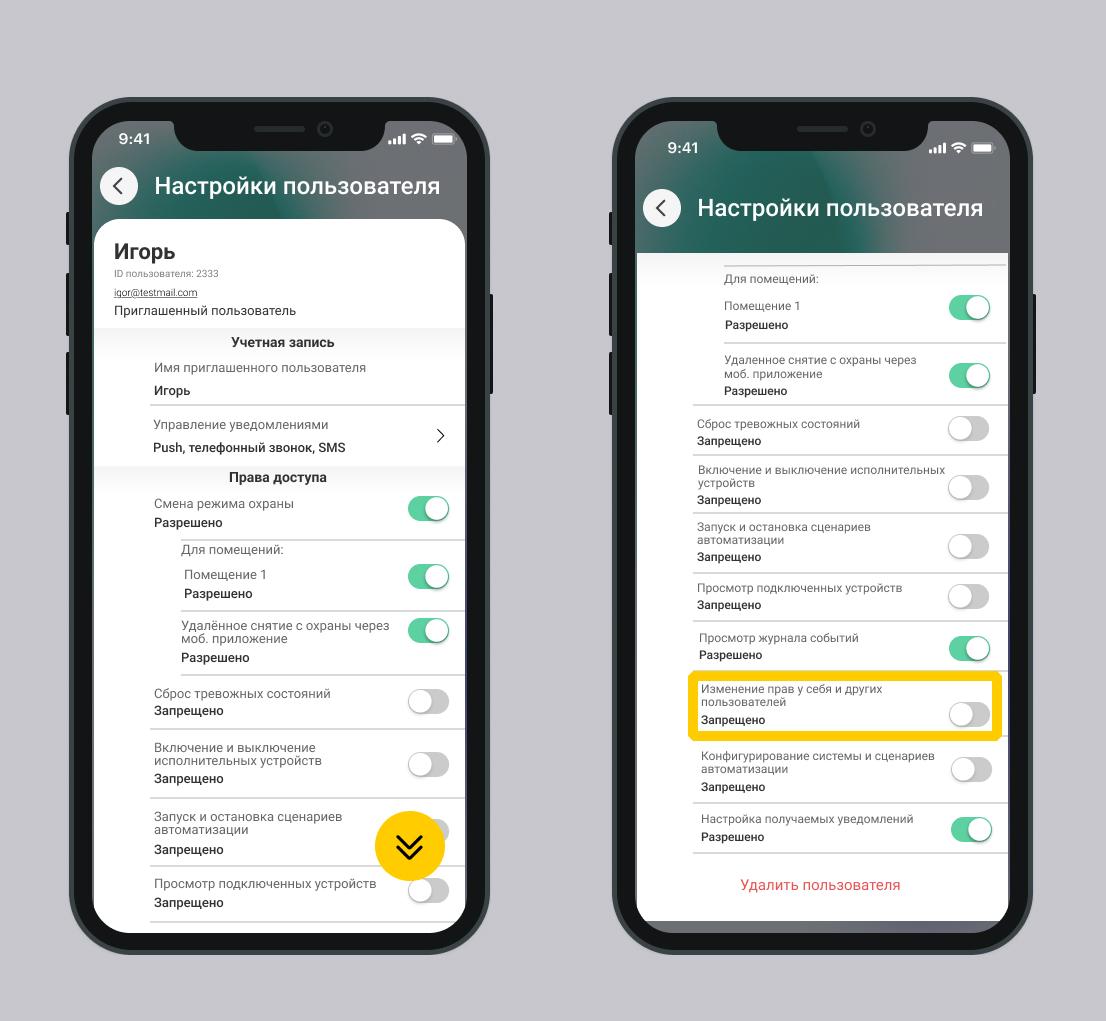
The home owner or user with user management rights can configure the event log to be viewed by other users.
The owner of the house/object cannot disable viewing the event log for himself.
Screen User settings
Нет комментариев для отображения
Нет комментариев для отображения