
How to configure periodic communication testing events?
The article describes the step-by-step process of setting up an event for periodic testing of communication between Ri-HUB and the RiCloud cloud service. This feature allows the control center to regularly send empty test messages to the server, which acknowledges their receipt. If no message is received from Ri-HUB within the set interval, then a communication failure is recorded.
1. Event setup
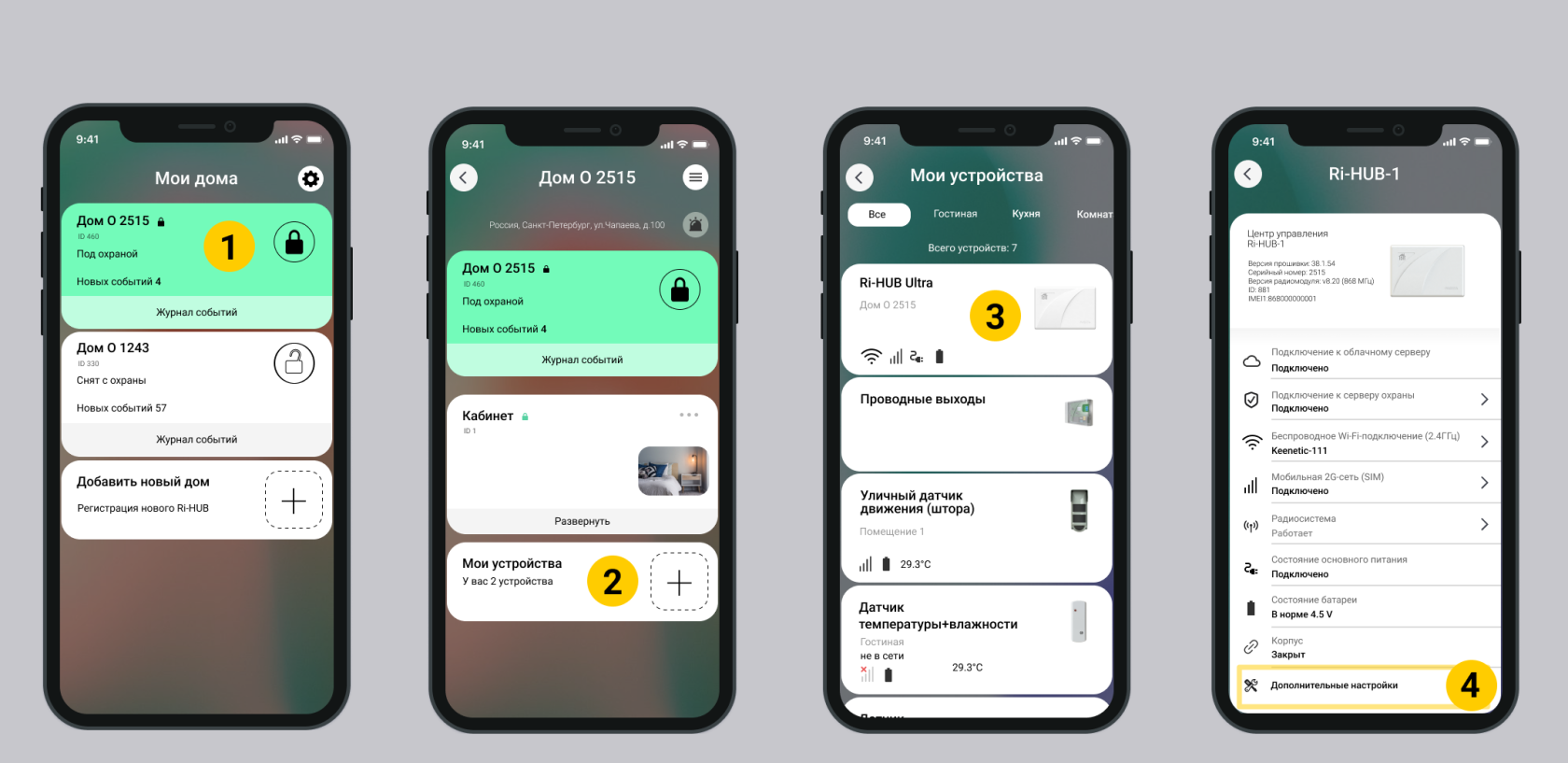
1. Select the desired house on the main screen of the RiDom mobile application.
2. At the bottom of the list of blocks, select My devices.
3. Select the Ri-HUB control center. It is located at the top of the list of devices.
4. In the Ri-HUB settings window at the bottom of the screen, select Advanced settings.
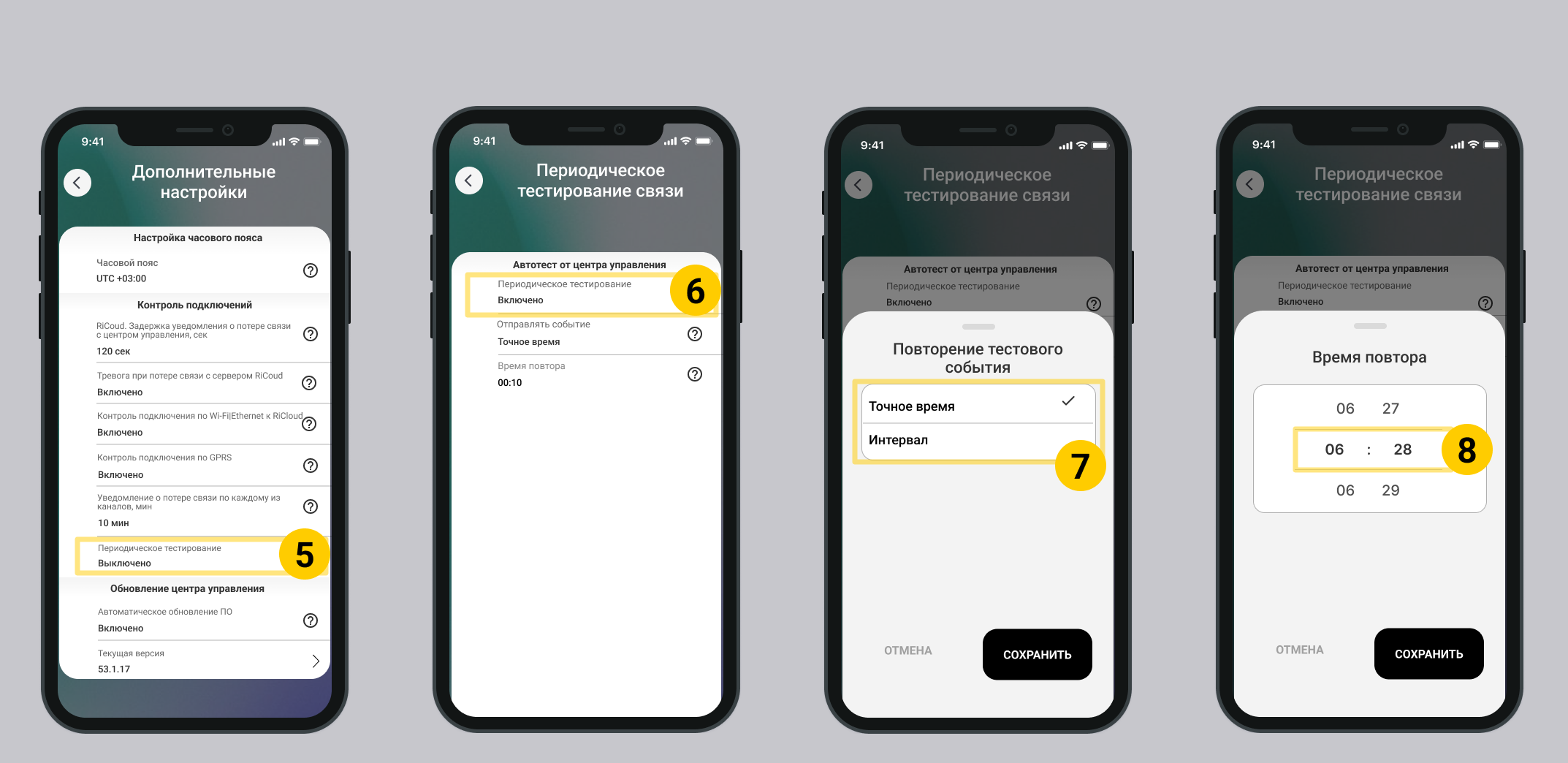
5. Select Periodic testing in the list Connection monitoring.
By default, periodic testing is disabled.
6. Select Enabled in the Periodic testing. field
7. Select the test event sending mode.
- Exact time - one connection check per day at exactly the specified time, taking into account the configured time zone.
- Interval - several connection checks per day, without reference to the exact time.
8. Select the repeat time for sending test events.
For modes:
- Exact time - specify hours and minutes. Example: To check the connection every day at midnight, set the time to 00:00.
- Interval - specify theinterval time. Minimum allowed time - 10 minutes. Example: to check every 10 minutes, set the time to 00:10.
The recommended value for the test event interval is 01:00 (1 hour) to avoid a large volume of traffic from Ri-HUB.
9. Periodic testing is configured. Return to the desired screen to continue using the mobile application.
2. Checking event settings
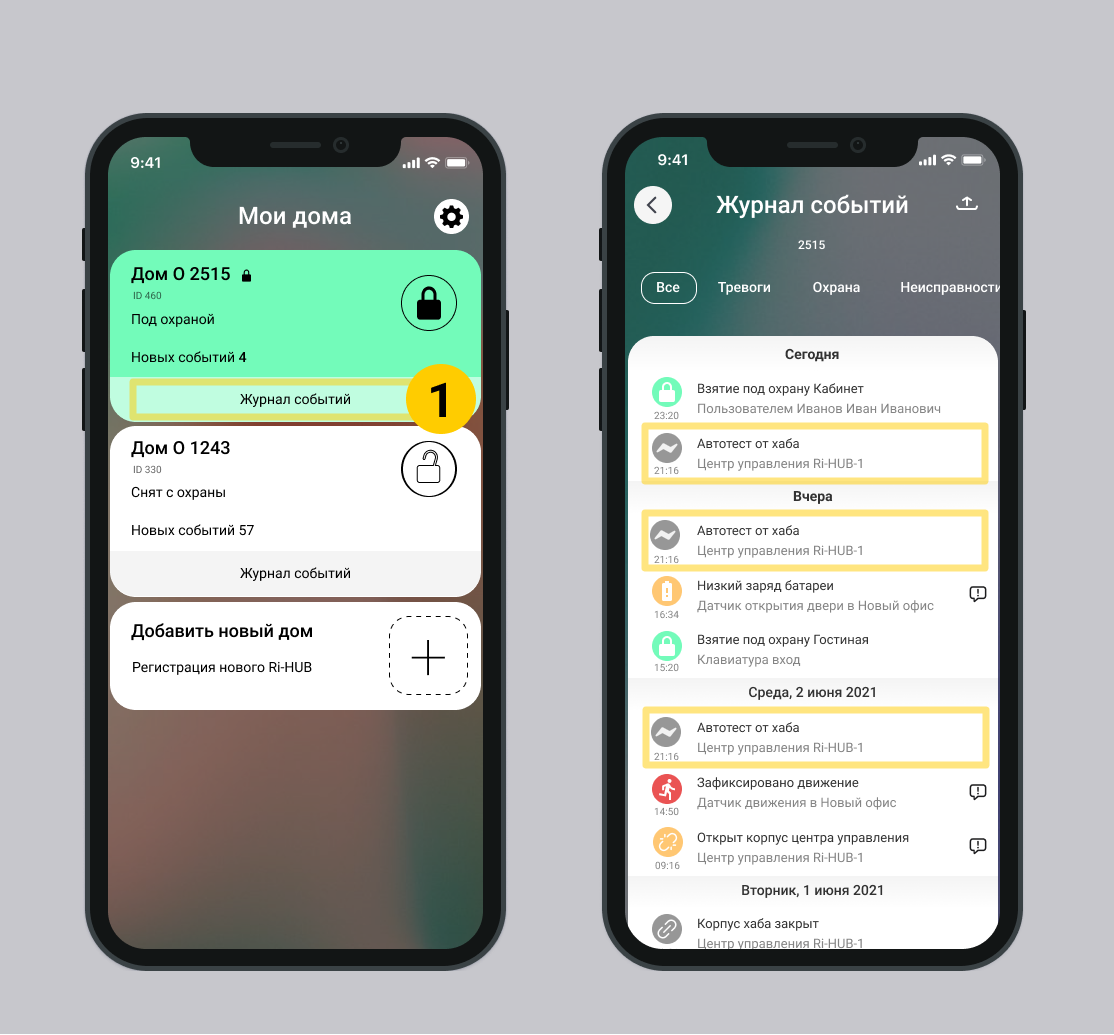
1. Go to the Event Log of the desired house. On the main screen of the RiDom mobile application. Select Event Log.
2. Event Autotest from the hub - event of periodic connection testing, which was configured in step 1.
3. Make sure that events from Ri-HUB arrive according to the specified interval or exact time.
Update date: 12/10/2025
Нет комментариев для отображения
Нет комментариев для отображения