
How to put a house or premises under security?
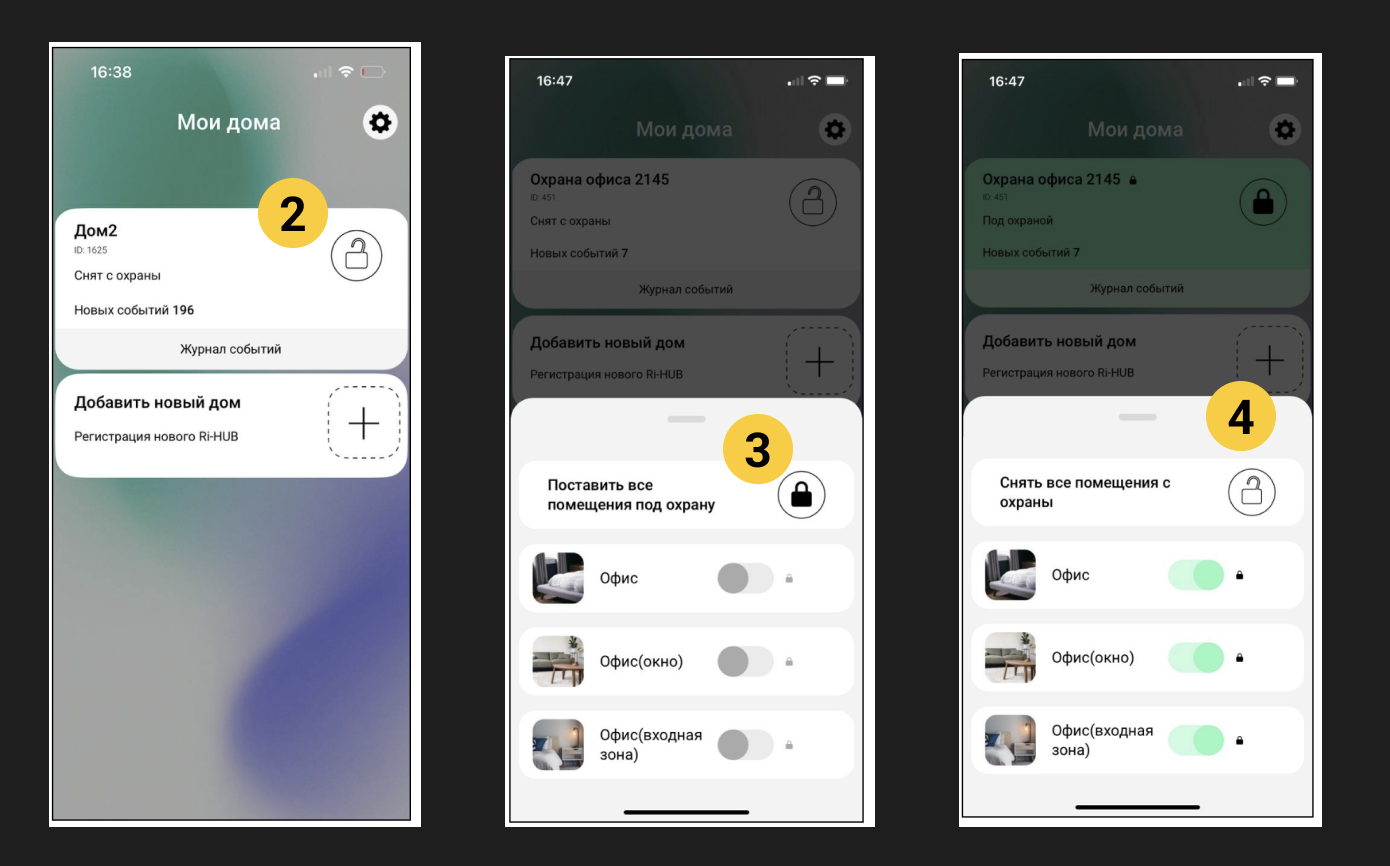
1. Select the desired house on the My Homes screen.
2. Click on the icon  in the top widget.
3. Select the premises that need to be protected:
- All rooms – click on
 at the inscription Arm all premises. The switches in all premises will turn green - the house/facility is armed.
 - Separate room - turn on the switch next to the desired room. The switch will turn green and a lock icon will appear - the house/object is protected.
4. Depending on the presence or absence of notifications on the screen, follow these steps:
4.1. No notifications – the house/object has been successfully armed. A notification appears in the event log: Armed. Return to the previous screen My Homes.
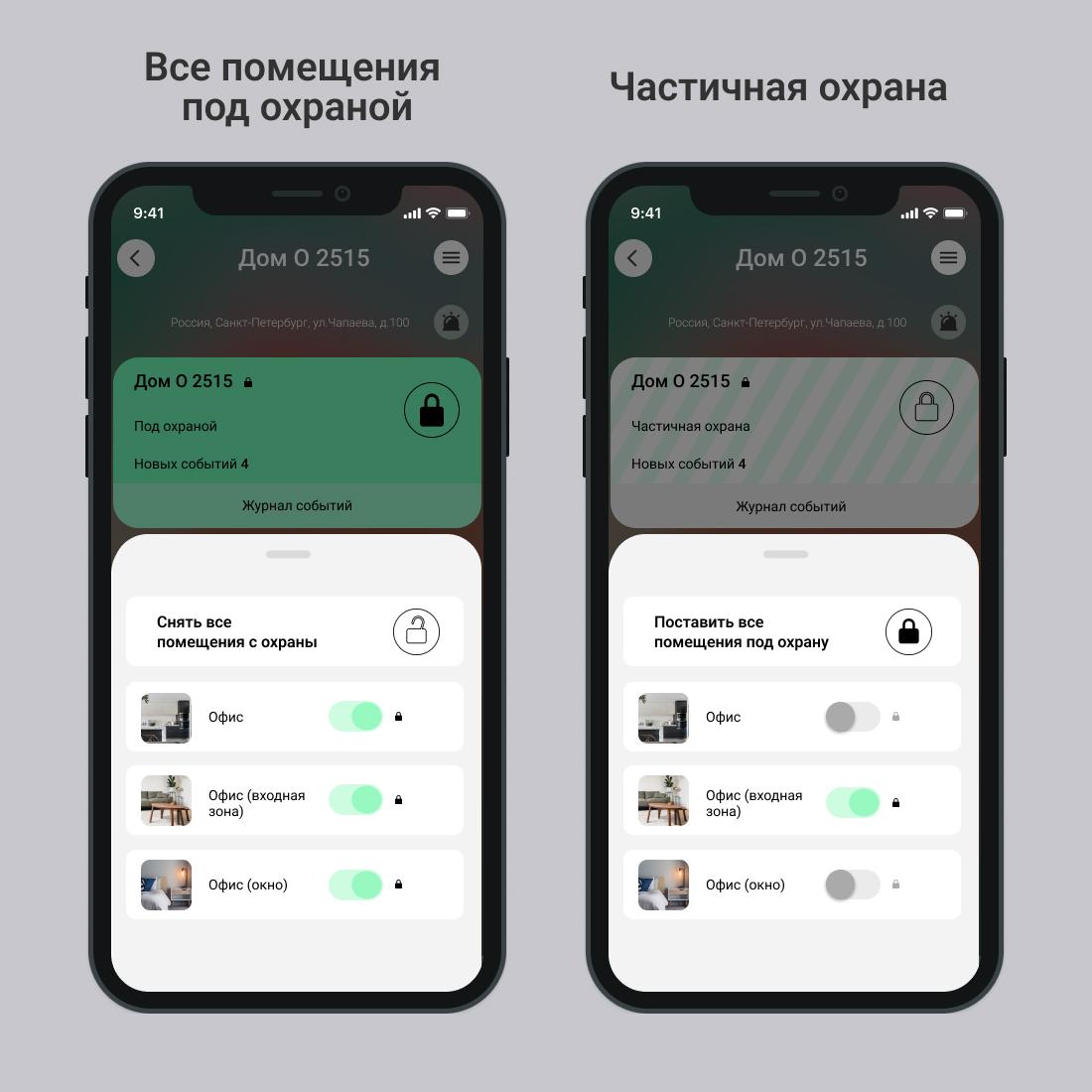
4.2. There are notifications about malfunctions – the security system has been checked if enabled integrity check or a general check has been performed checking the entire smart home system. Follow the recommendations in the messages.
After arming, when the house/object or premises is protected, integrity check settings are not available. To access the settings, disarm the house/object or premises.
Update date: 03/26/2026
Нет комментариев для отображения
Нет комментариев для отображения