
How to set up a key fob for a user?
The security mode control key fob has three programmable buttons, protected against accidental pressing. Equipped with a panic button so you can inform loved ones and the security company about the danger. The keychain you add must be linked to the user at home. If the user is not selected in the key fob settings, then any button presses are ignored by the system.
Only one user can be linked to one key fob. One user can have only one key fob.
5.1. Adding a key fob to your home
1. Select the desired house on the My Homes screen.
2. At the bottom of the screen, click  on the My Devices widget.
3. Select Keyfob from the list of devices.
4. Follow the instructions in the key fob passport and context clues in the mobile application.
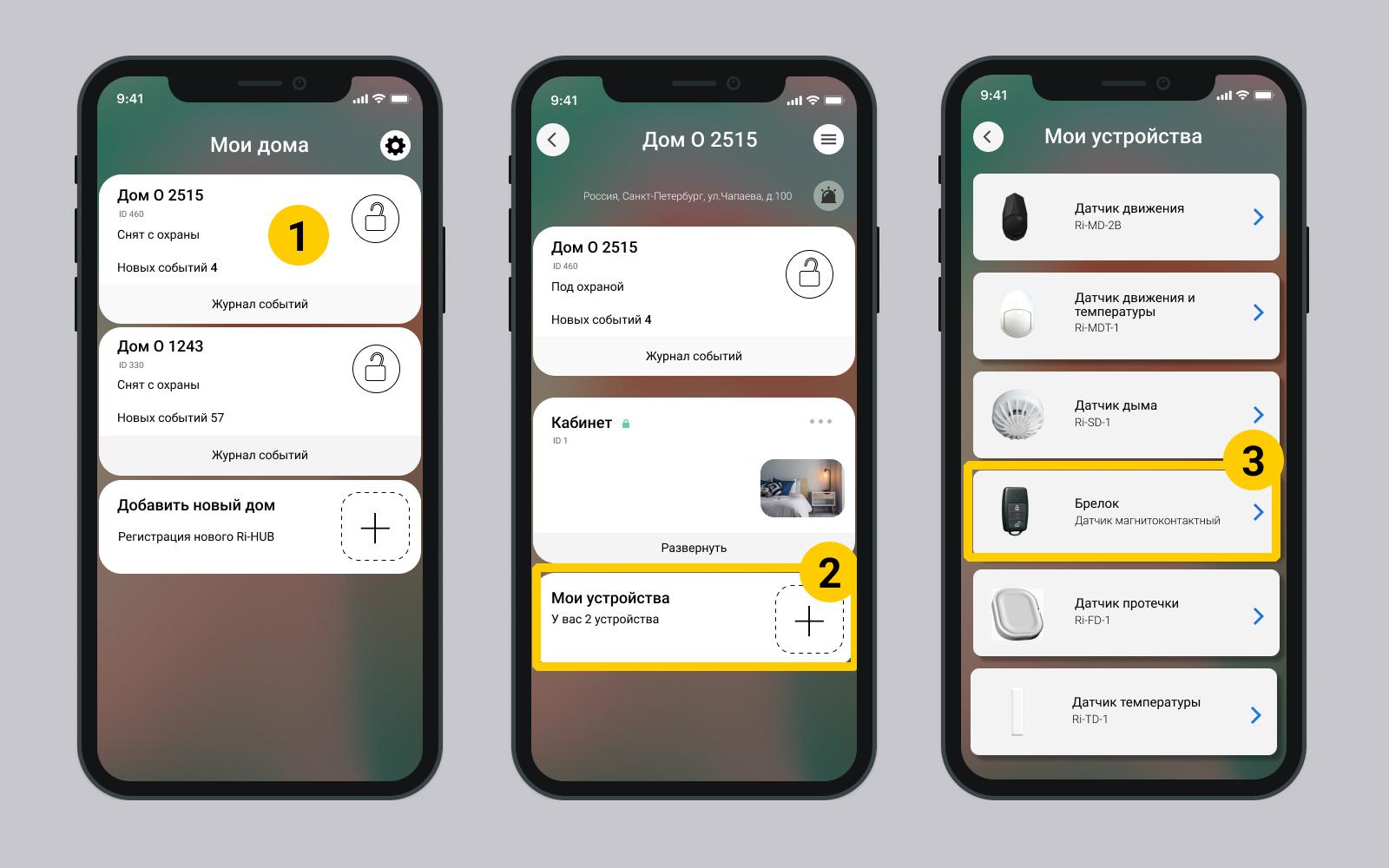
You can set up a key fob for a user when adding a device or later.
5.2. Setting up a key fob for the user
A user with a certain right can configure the key fob. This right is set in the Home User Settings.
Screen User settings
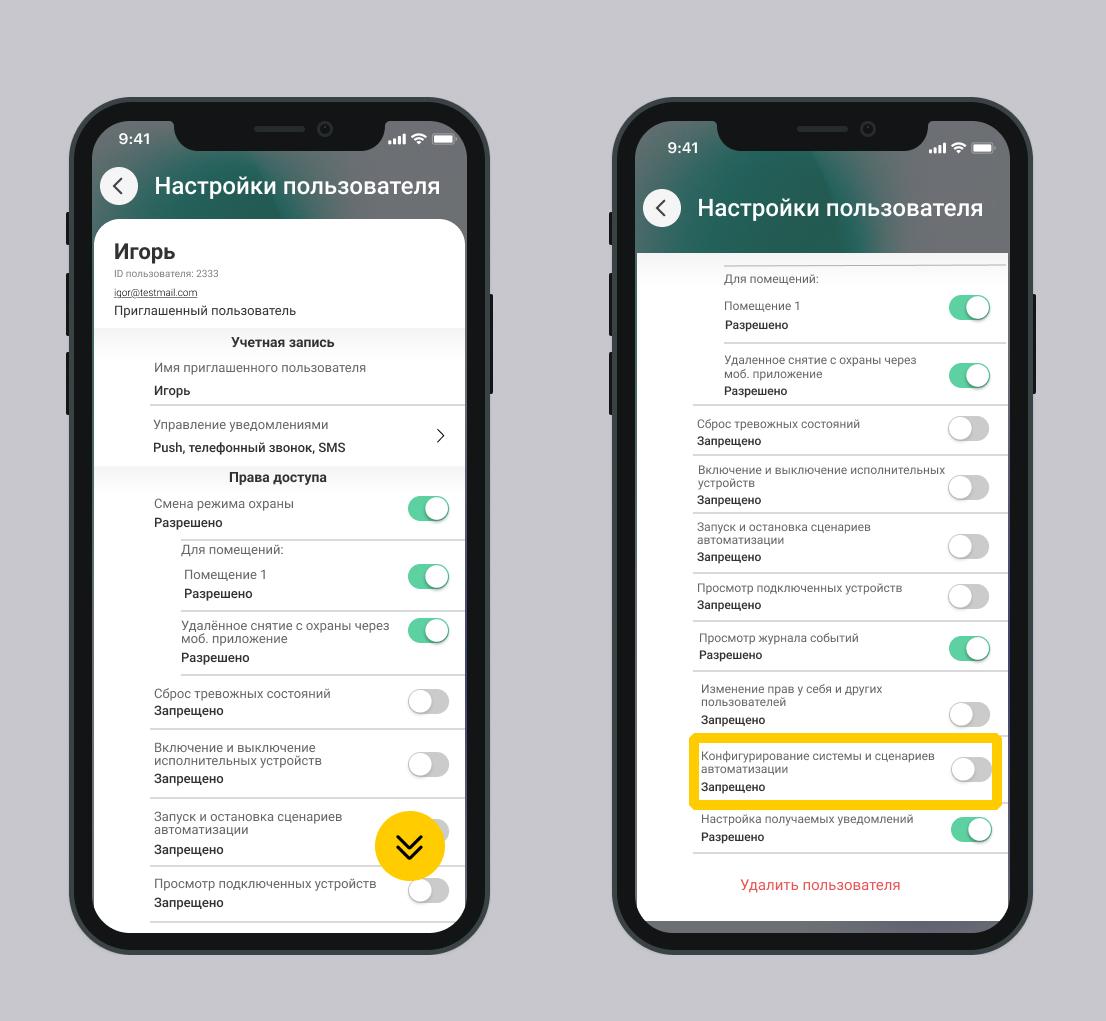
- For the selected user, premises in which he can control the security must be defined.
- The key fob must be connected to the house/object.
- Have the right Change access rights for yourself and other users. More...
2. Select the desired key fob from the list of devices in the My devices section.
The mobile application does not have a key fob search function; it is necessary to give devices clear names.
3. Select the desired user from the list User
4. Turn on settings editing mode. Click  in the upper right corner.
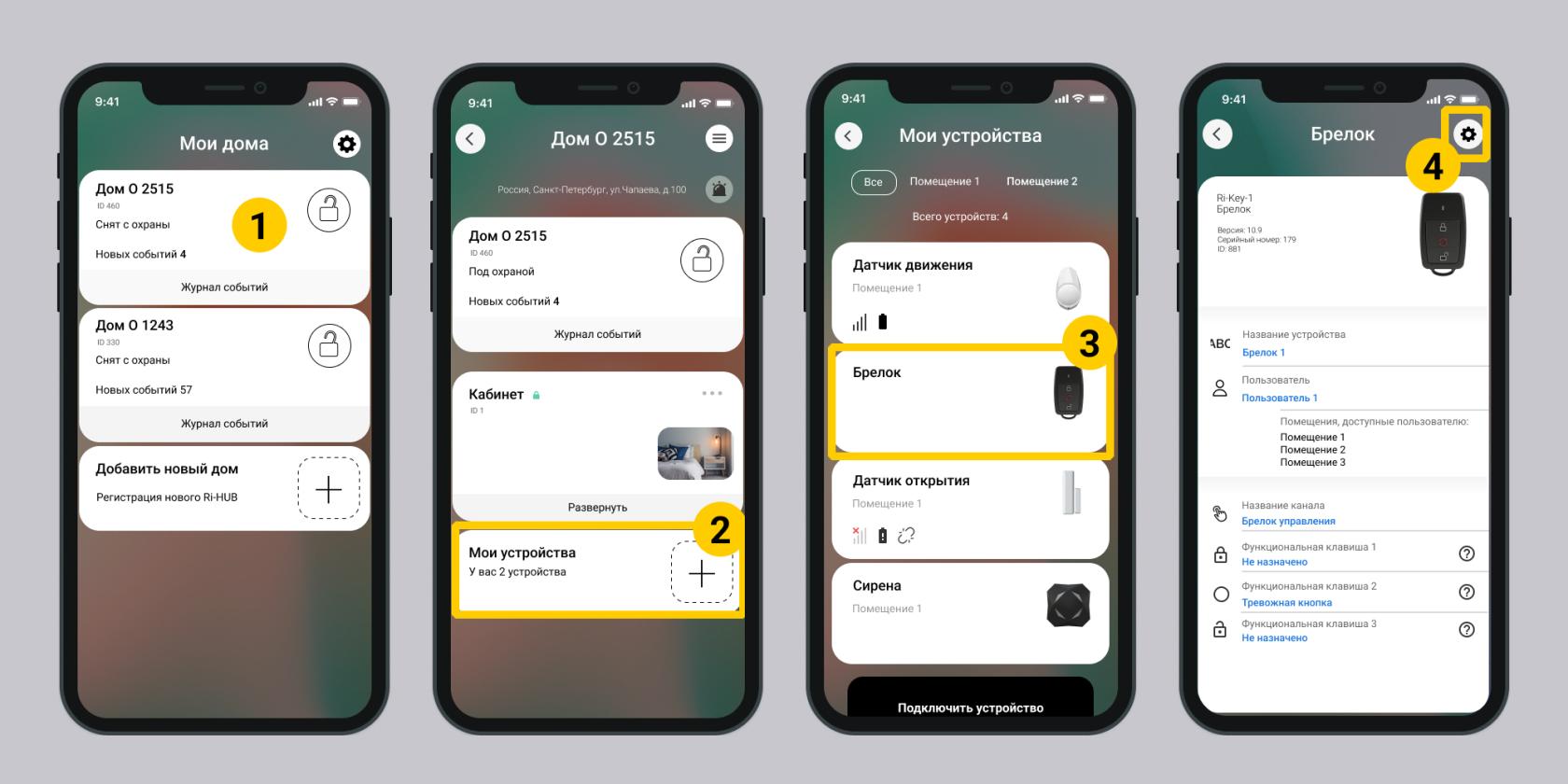
4. Set up function keys for the key fob.
There are 6 configuration options available for any key:
- Disabled
- Put under protection
- Disarm
- Panic button
- Panic button + Siren
- Automation control
5. Click back to save the settings.
Update date: 03/26/2026
Нет комментариев для отображения
Нет комментариев для отображения