
How to set permissions for users?
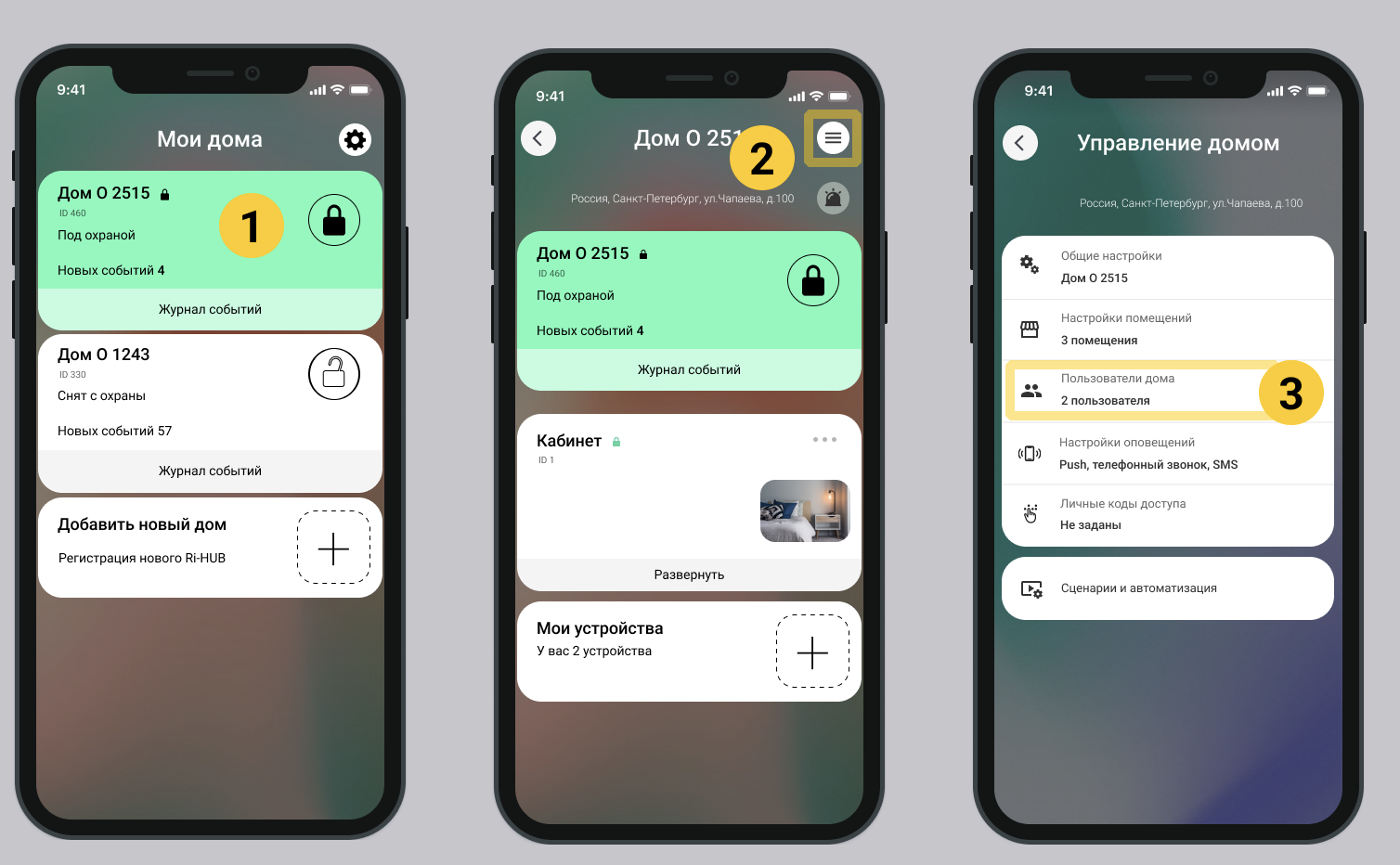
1. On the main screen of the mobile application, select the desired house.
2. Go to home settings. Select  in the upper right corner of the screen.
3. Select the item  Home users.
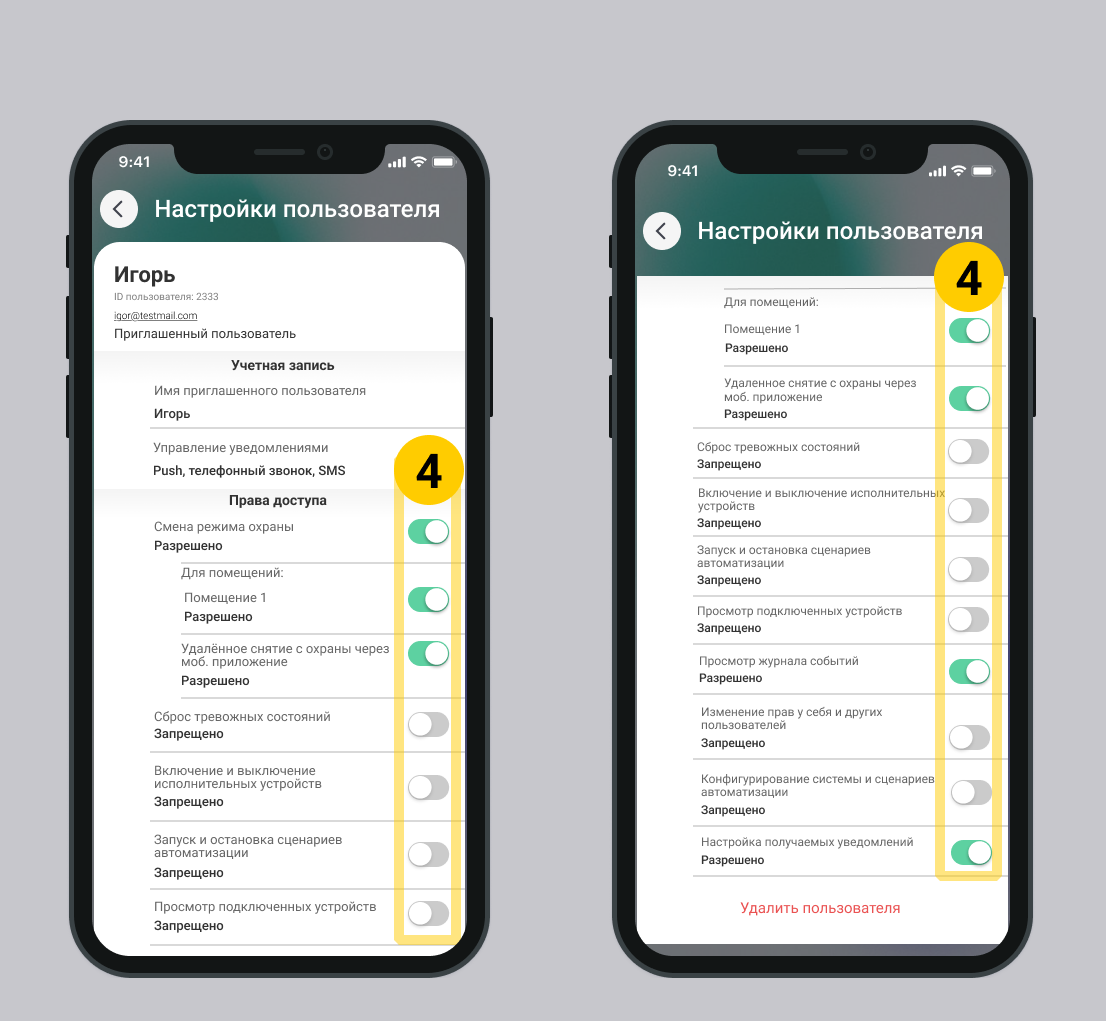
4. Turn on the switches for the desired rights.
Update date: 03/26/2026
Нет комментариев для отображения
Нет комментариев для отображения