
How to configure access rights to premises for users of a home
You can change user rights when the house/object is under protection.
1. Select the desired house on the My Homes screen.
2. Click settings button  .
.
3. Click Home Users.
4. Select the user whose rights you want to change. For a mobile user and locally, the settings are slightly different. Read more about user types in the article.
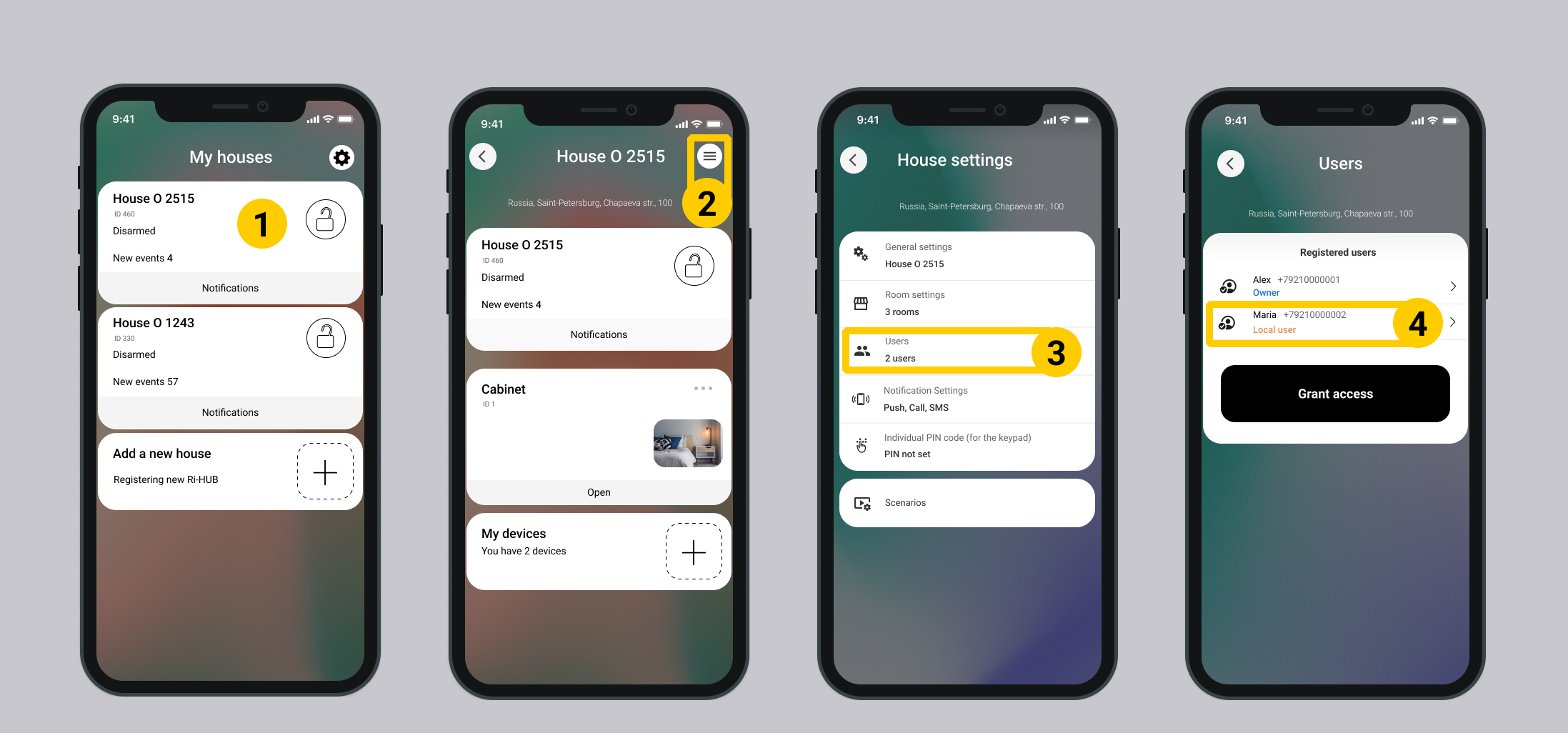
5. Enable or disable the settings in the Change security mode section.
For mobile user
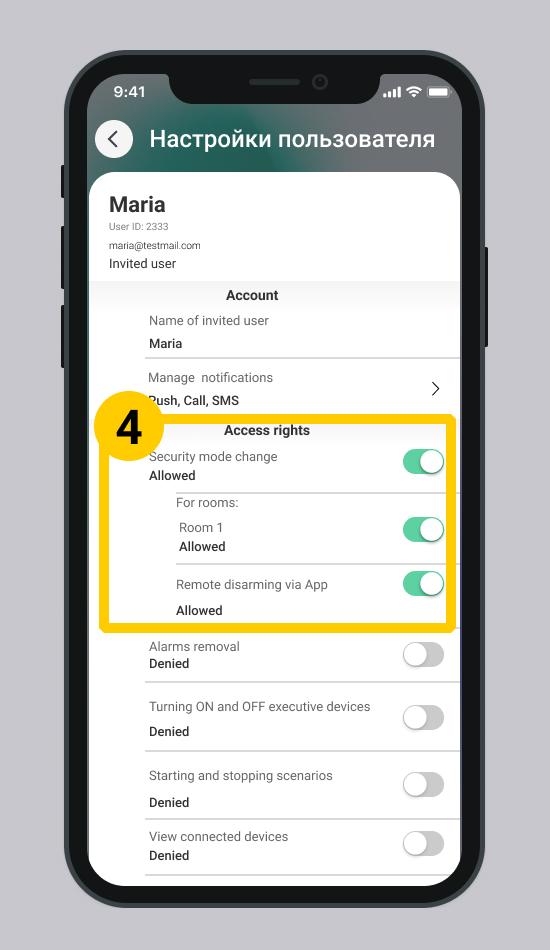
| Setting | Description |
| Security mode change | The setting globally allows you to change the user's security mode for all rooms in the house. |
| Rooms | List of premises in the house/facility. It is necessary to turn on the switch near the premises where the user is allowed to change the security mode. |
| Remote disarming via App | Permission or prohibition to disarm through the application. For the ability to manage security directly on site. |
For local user
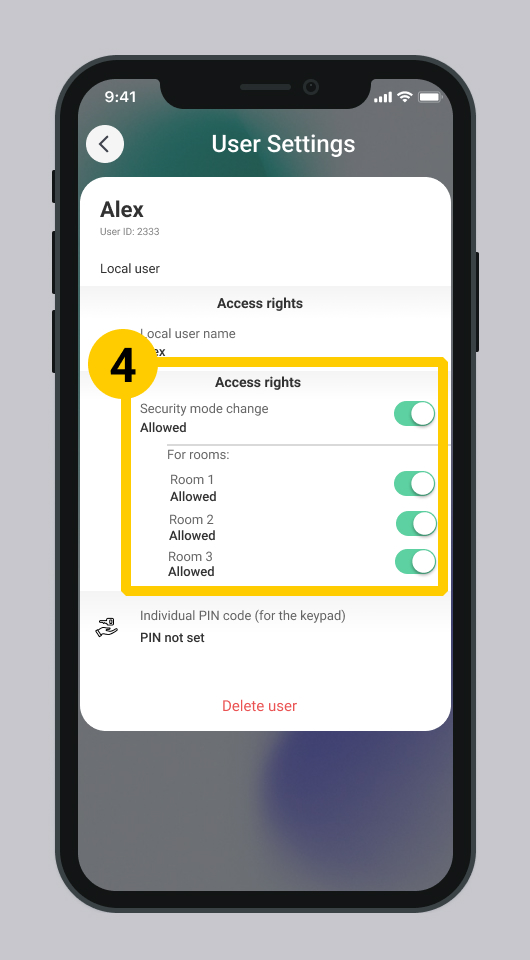
Setting up an individual code is not available if the right Change security mode is disabled.
Update date: 04/08/2026
Нет комментариев для отображения
Нет комментариев для отображения