
Where to configure system integrity check?
The setting is available only to a user with the Owner role.
1. Open the RiDom application.
2. Select the desired house in the My houses window.
3. Scroll down and select My Devices.
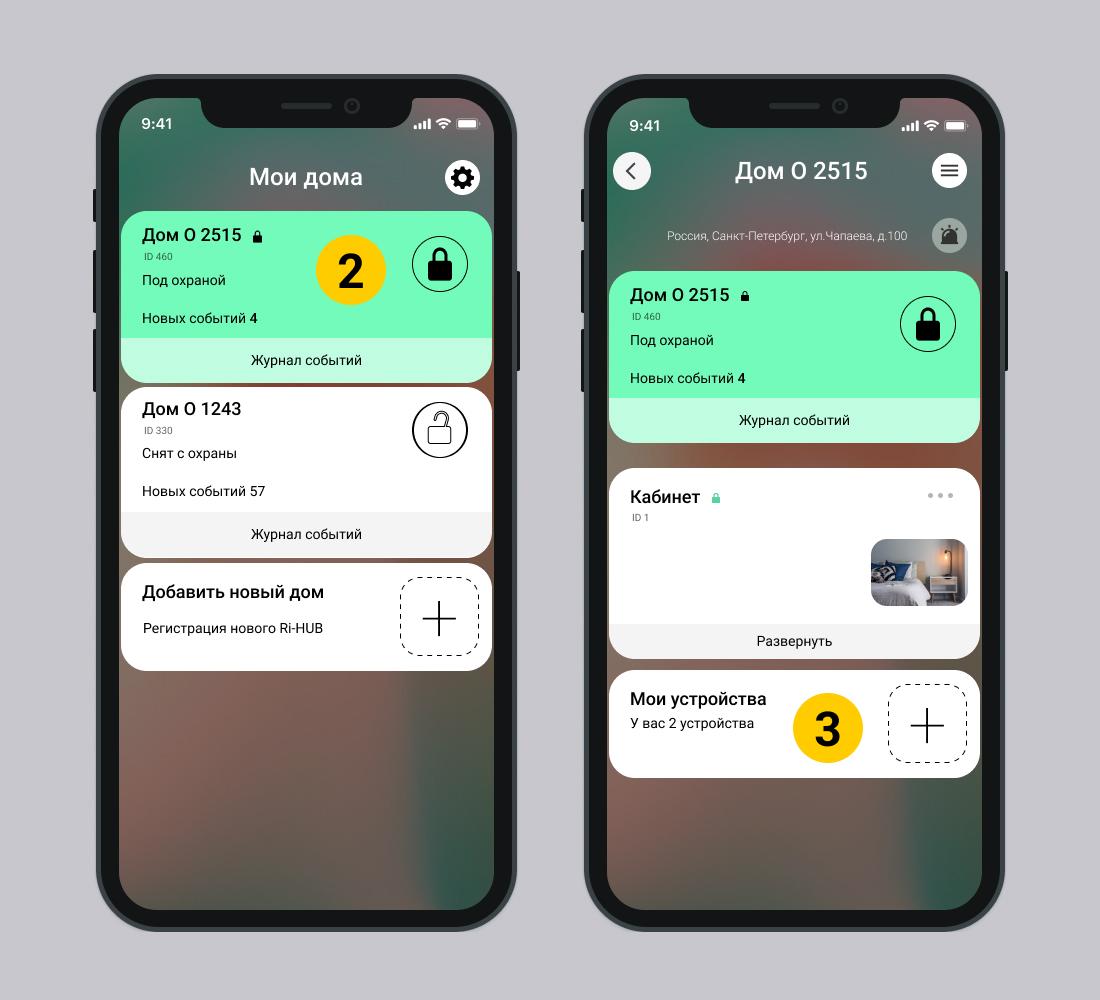
3. Scroll down the controller settings screen and go to  Setting up a security system.
4. Select System integrity check – Enabled.
Default **System integrity check** disabled.
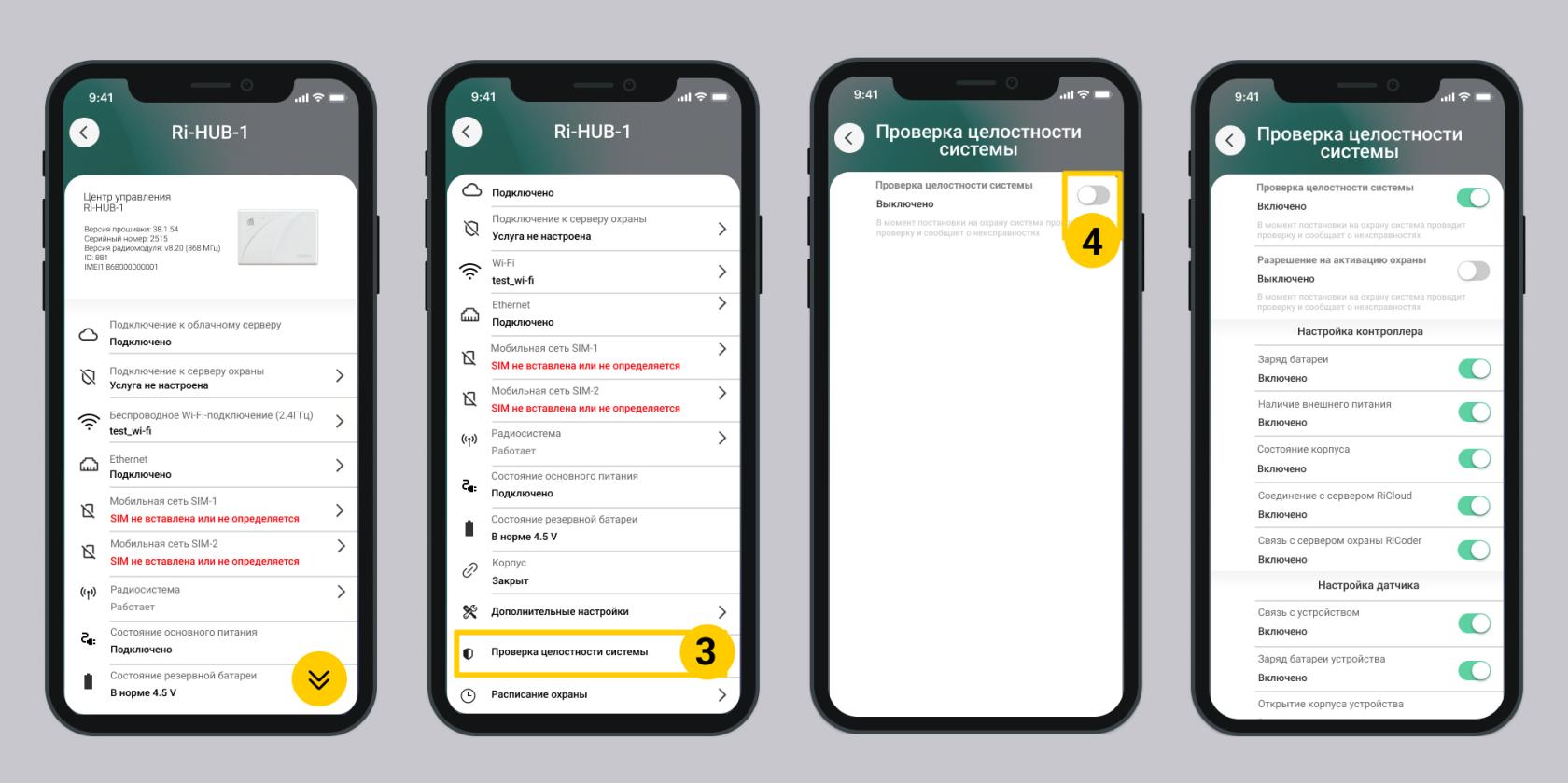
5. To configure settings, follow the recommendations in the Section Integrity Settings systems.
Update date: 03/26/2026
Нет комментариев для отображения
Нет комментариев для отображения