
Examples of organizational local network settings
Various local network configurations can be organized in a security organization. The article will discuss the 3 most popular options. If your organization has additionally configured a firewall, etc., contact your system administrator to check the correctness of the entered data on hosts and ports to organize the broadcast of events from the Ri-HUB to the monitoring station, based on the diagrams below.
1. RiCoder and monitoring stations are deployed on different hosts within the organization’s local network
Network diagram
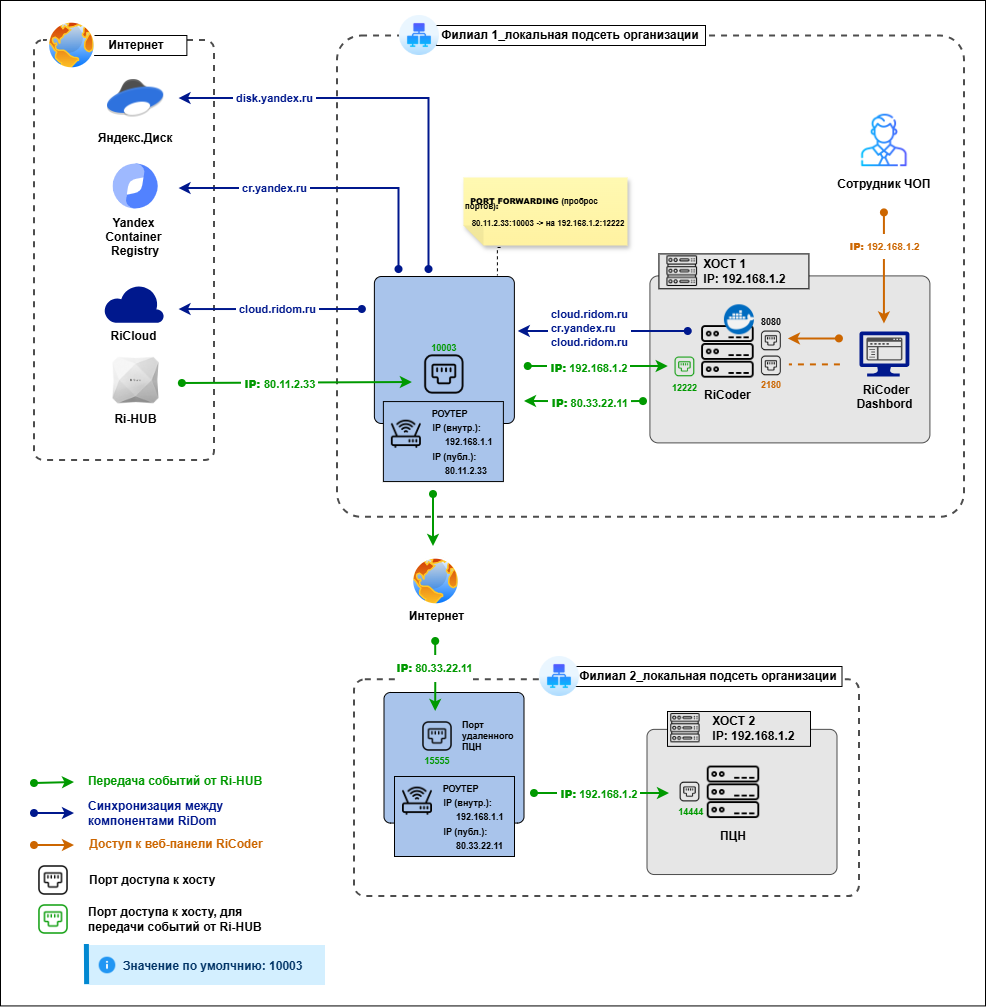
If DNS names are used on the local network, then use them in the same way as IP addresses.
Specifying IP addresses and ports in the interface
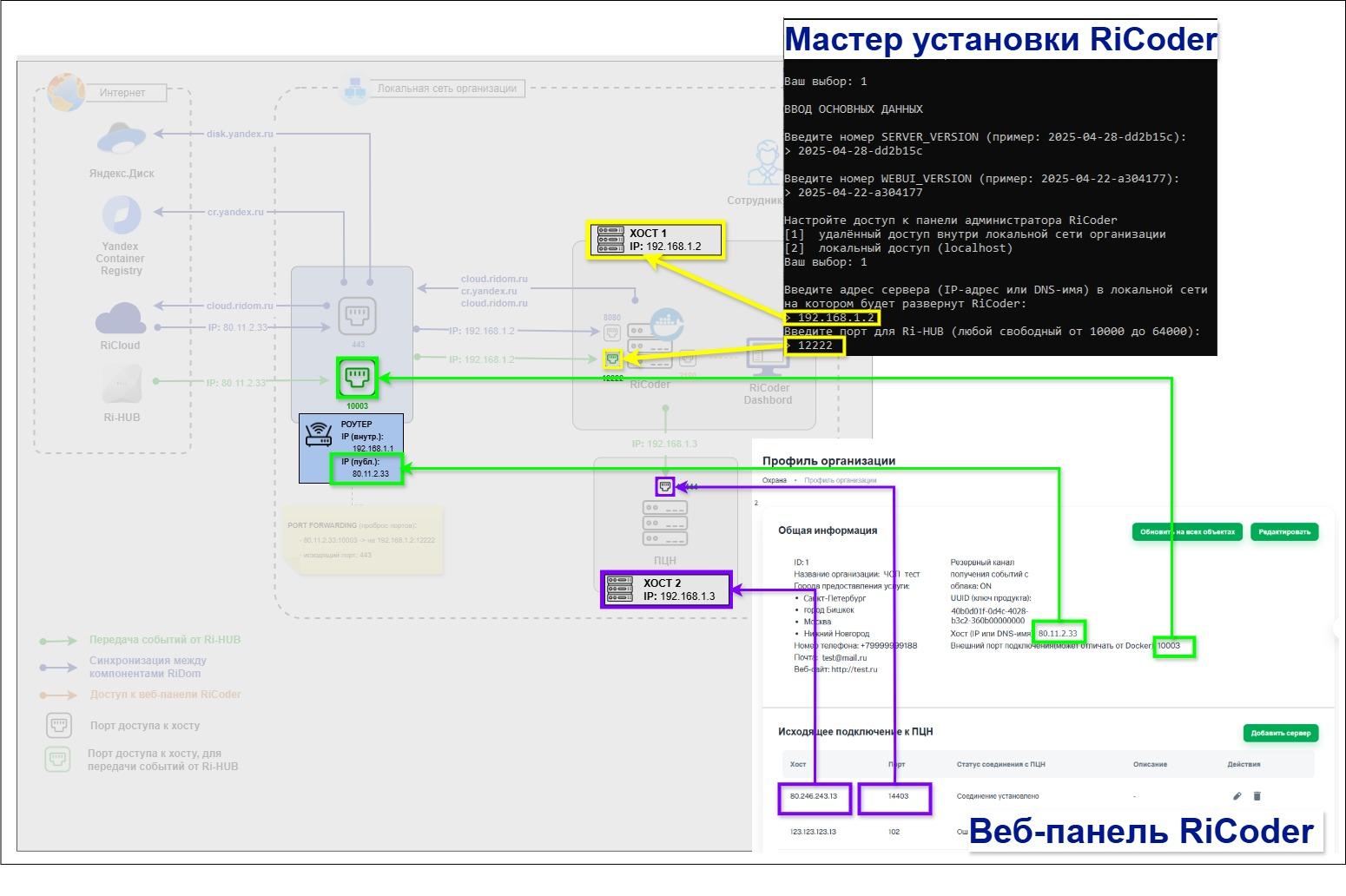
| **Place in the interface** | **Network parameters** |
| **RiCoder Installation Wizard:**
in the installation dialog | **IP:** 192.168.1.2
port: 12222 |
| **RiCoder Dashboard:**
section General information | **IP:** 80.11.2.33
port: 10003 |
| **RiCoder Dashboard:**
section General information -> Outgoing connections to the monitoring station | **IP:** 192.168.1.3
port: 14444 |
If DNS names are used on the local network, then use them in the same way as IP addresses.
2. RiCoder and monitoring stations are deployed in different subnets of the organization
Network diagram
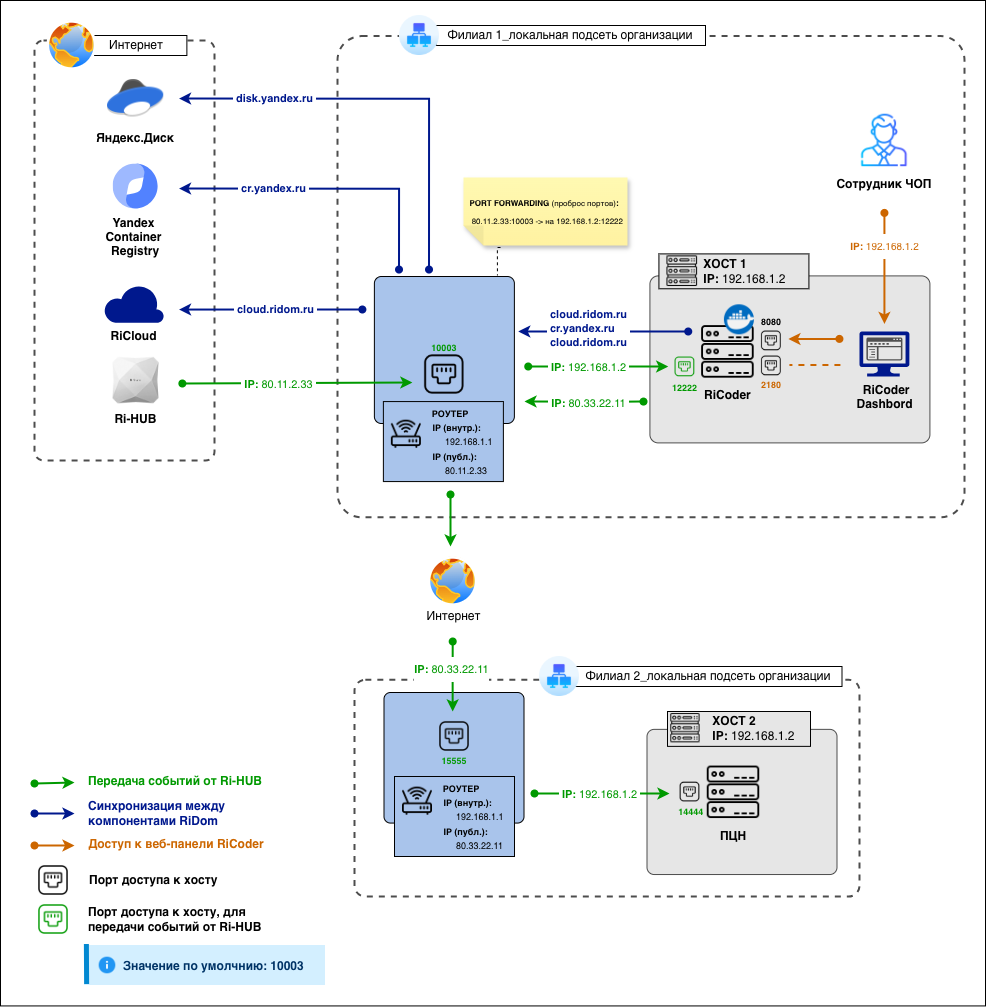
If DNS names are used on the local network, then use them in the same way as IP addresses.
Specifying IP addresses and ports in the interface
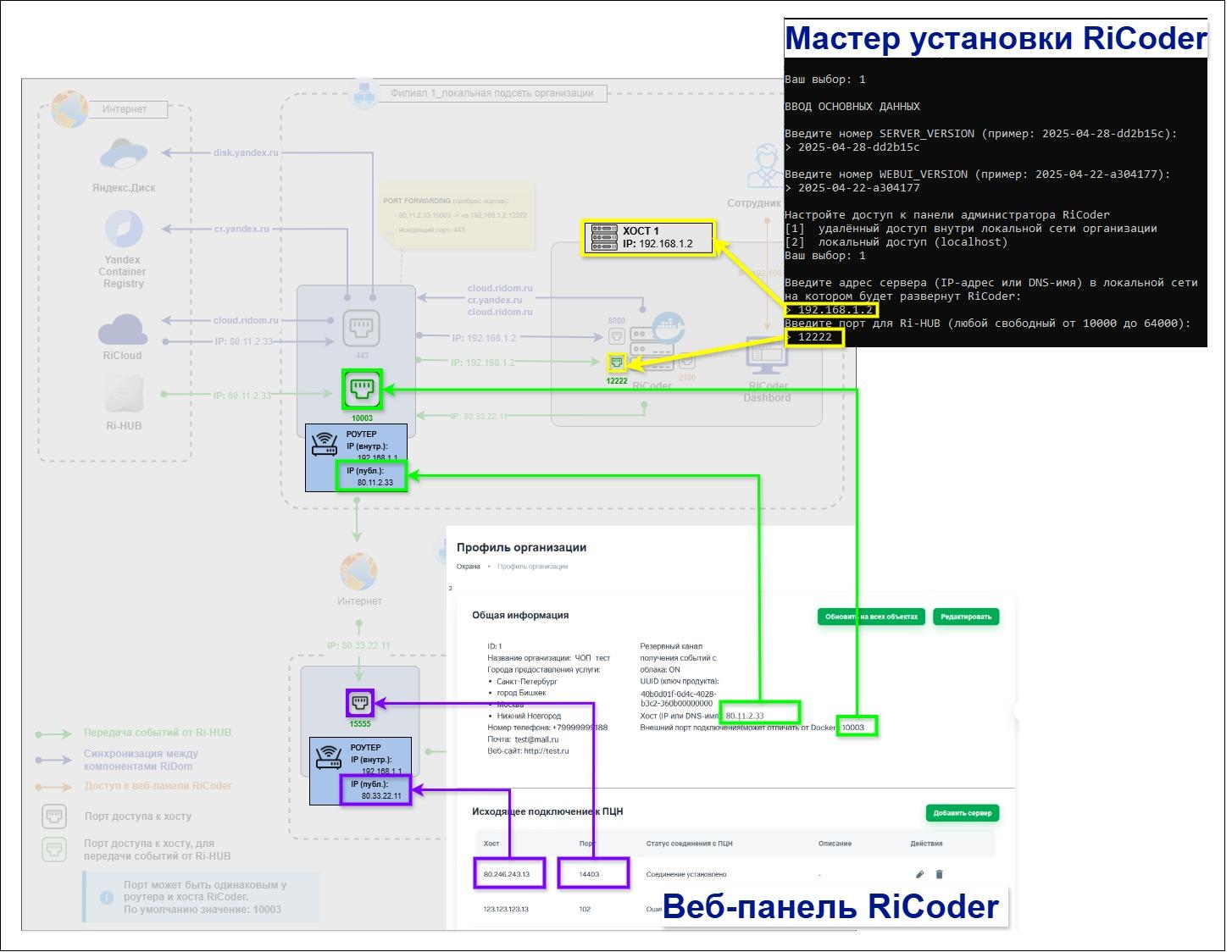
| **Place in the interface** | **Network parameters** |
| **RiCoder Installation Wizard:**
in the installation dialog | **IP:** 192.168.1.2
port: 12222 |
| **RiCoder Dashboard:**
section General information | **IP:** 80.11.2.33
port: 10003 |
| **RiCoder Dashboard:**
section General information -> Outgoing connections to the monitoring station | **IP:** 80.33.22.11
port: 15555 |
3. RiCoder and the monitoring station are deployed on the same host within the organization’s local network
Network diagram
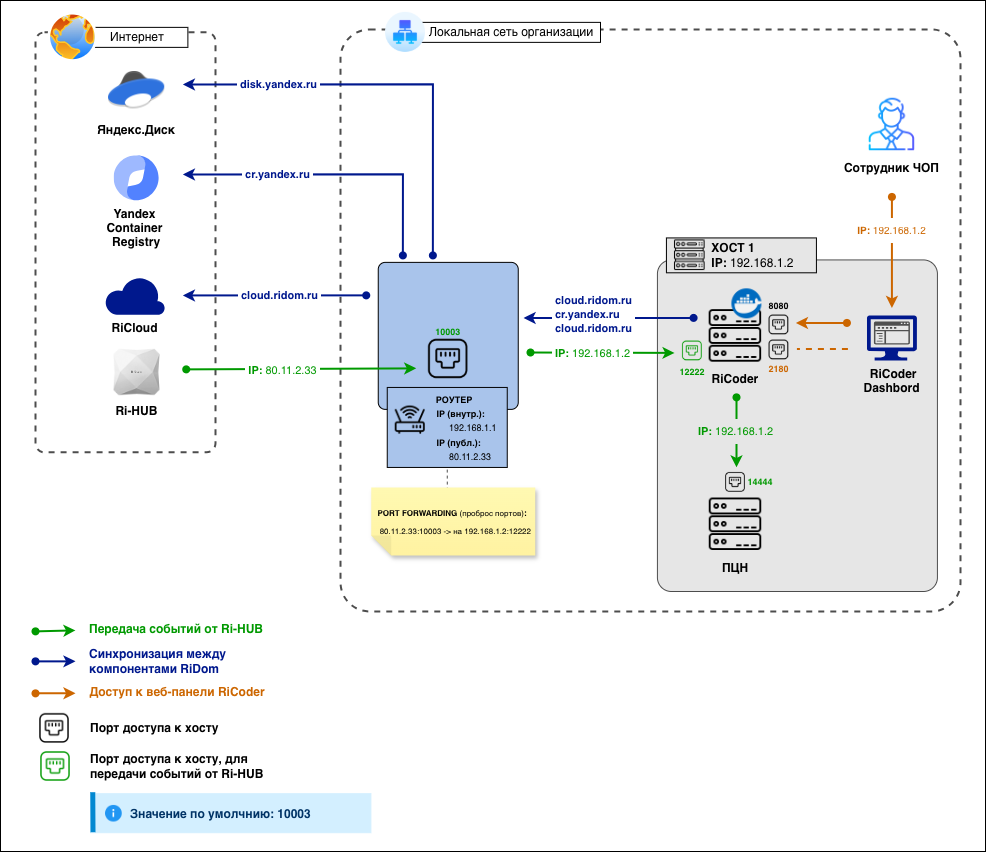
If DNS names are used on the local network, then use them in the same way as IP addresses.
Specifying IP addresses and ports in the interface
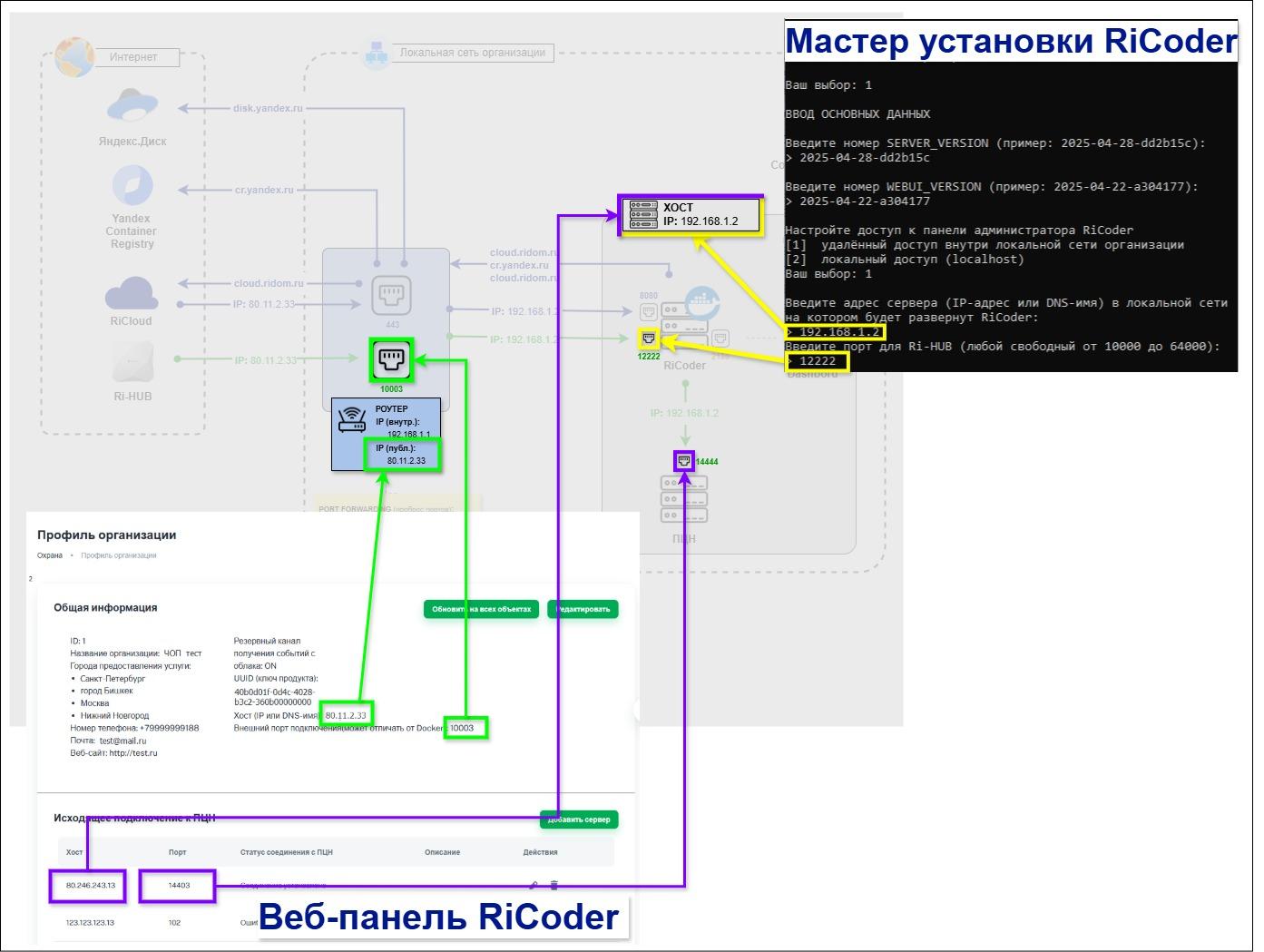
| **Place in the interface** | **Network parameters** |
| **RiCoder Installation Wizard:**
in the installation dialog | **IP:** 192.168.1.2
port: 12222 |
| **RiCoder Dashboard:**
section General information | **IP:** 80.11.2.33
port: 10003 |
| **RiCoder Dashboard:**
section General information -> Outgoing connections to the monitoring station | **IP:** 192.168.1.2
port: 14444 |
Нет комментариев для отображения
Нет комментариев для отображения