
Setting up periodic communication testing between Ri-HUB and RiCoder
The article describes how to set up periodic testing of communication between Ri-HUB and RiCoder in the RiCoder interface and control the connection of Ri-HUB to RiCoder in the mobile application.
1. In RiCoder
RiCoder allows you to configure parameters for monitoring the presence of communication between participants (Ri-HUB, RiCoder, monitoring station server) when organizing a broadcast.
In the Broadcasts section of RiCoder software you can configure the following parameters:
- Connection monitoring period - between RiCoder and the monitoring station;
- Timeout for sending break event (7.0.1) - between RiCoder and Ri-HUB;
- Timeout for sending recovery event (7.0.0) - between RiCoder and Ri-HUB.
RiCoder screen: Broadcasts
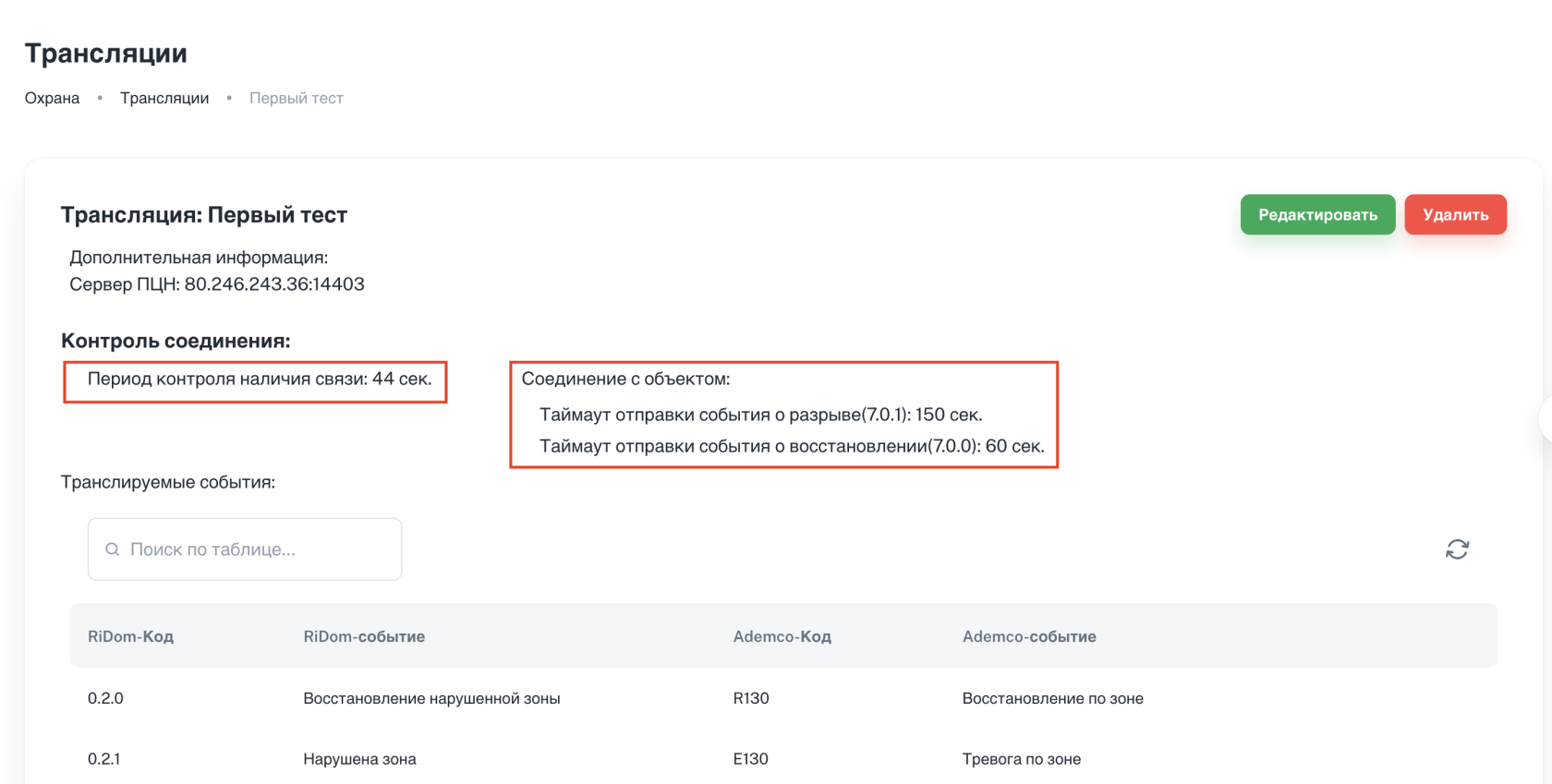
Parameters are required when creating a broadcast. [More about creating a broadcast...](https://wiki.ridom.ru/books/instructions-in-english/page/setting-up-event-broadcasting)
1.1. Period of monitoring the presence of communication between RiCoder and the monitoring station
Pinging the monitoring station server after a specified period is necessary to maintain an up-to-date connection between the monitoring station and RiСoder. It is impossible to disable ping.
In the absence of frequent events from Ri-HUB, RiСoder transmits test events to the monitoring station over an open connection to monitor the presence of communication. You can view the results of the connection availability ping in the monitoring station server logs, if possible.
- The period is set in seconds.
- Values from 1 to 500 seconds are allowed.
- Recommended value: 100 seconds.
- To reduce the load on the network (traffic), set a higher value for this parameter.
1.2. Monitoring the connection between RiСoder and Ri-HUB
Timeouts control the Ri-HUB connection to RiCoder and are a general setting of the broadcast template. The setting will be applied to all objects (Ri-HUBs) connected to this broadcast template. The parameter value must be selected from the list of suggested values.
Parameters:
- Timeout for sending break event (7.0.1)
- Timeout for sending recovery event (7.0.0)
RiCoder screen: Valid parameter values
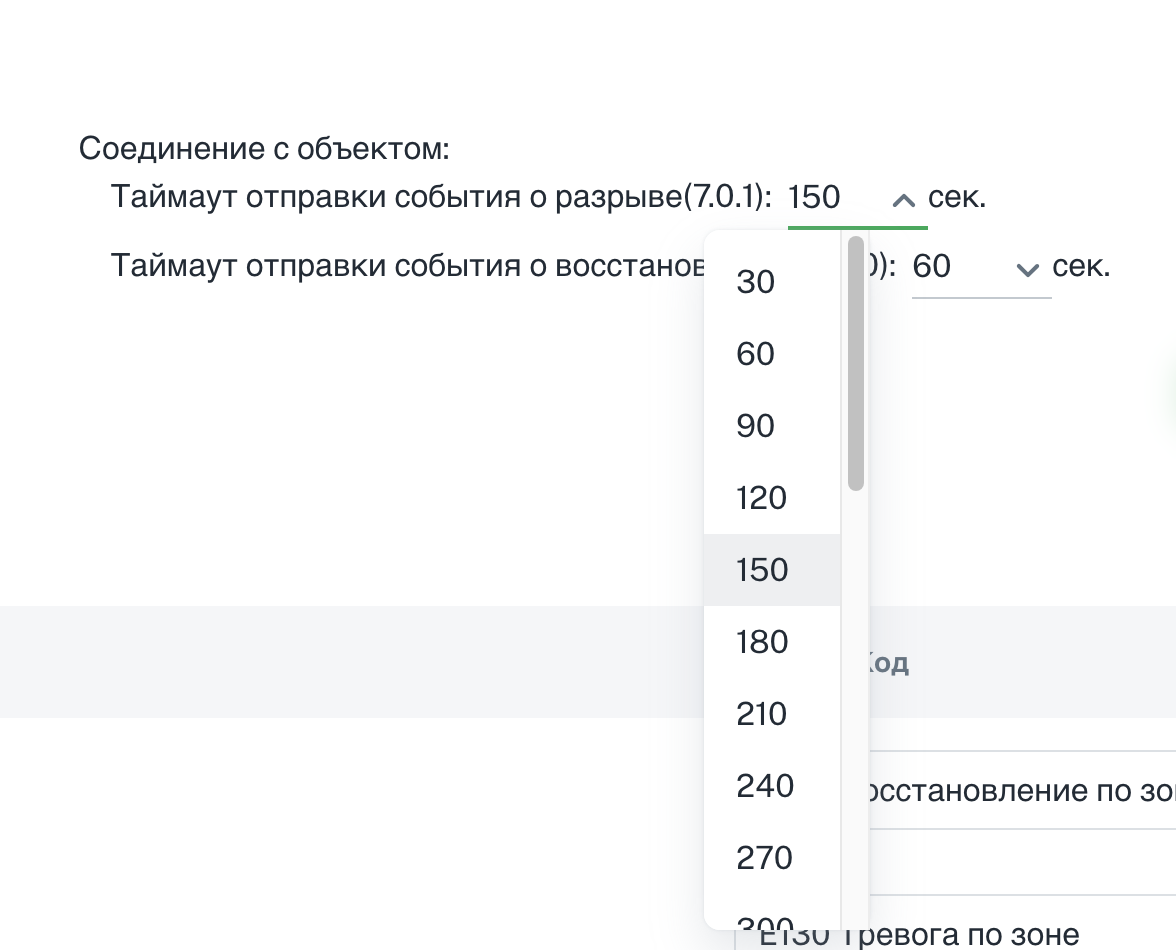
- Timeout for sending the recovery event (7.0.0): not lower than 30.
With values above 30 seconds, events are guaranteed to be sent and processed. - Timeout for sending the break event (7.0.1): can be anything.
1.3. Changing communication control parameters in RiCoder
1. Open the RiCoder web panel.
2. Select from the side left menu Broadcasts.
3. Click on the line with the desired broadcast (2 mouse clicks). The broadcast information will appear.
RiCoder screen: Broadcasts
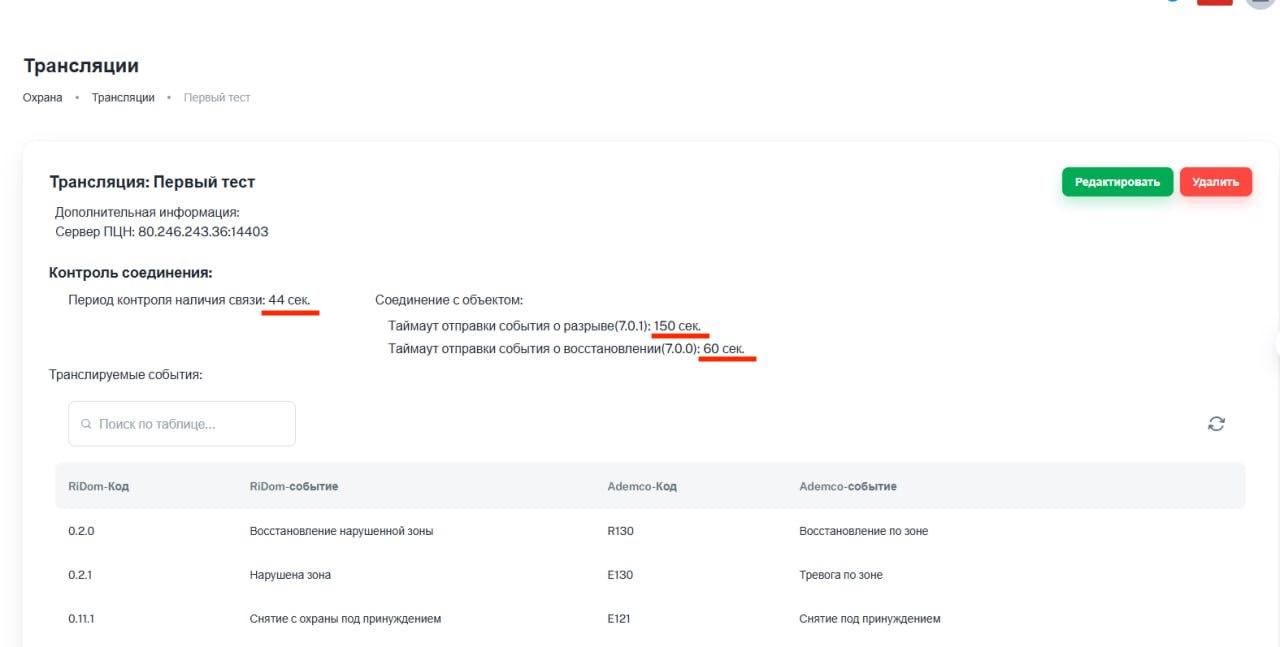
5. In the Connection Control section, make changes. Recommended values are described in beginning of article.
6. Click Save changes.
2. In the RiDom mobile application
For additional control of the Ri-HUB connection to RiCoder and maintaining broadcast activity, set up an event for periodic connection testing according to a schedule or interval in the Ri-HUB settings in the mobile application. More...
Update date: 12/15/2025
Нет комментариев для отображения
Нет комментариев для отображения